News
Grok Imagine 2.0 Is Live: What Image 2.0 Actually Changes
Grok Imagine 2.0 is live in Dream Pixel Forge. What Image 2.0 changes, where it ranks, and the grok-imagine-image-2.0 API model ID and pricing.
xAI shipped Grok Imagine 2.0 on August 7, 2026. Imagine Image 2.0 is generally available as Quality Mode on grok.com/imagine and in the Grok iOS and Android apps, and it is now live in Dream Pixel Forge. xAI says it plans typography and layout "the way a designer would", holds dense multi-part visuals together, keeps small text sharp, and preserves what you feed it across generations and edits.
Grok Imagine Quality Mode is now Image 2.0
There is no new toggle to find. xAI's wording is that Image 2.0 "is now generally available as the new Quality Mode", so the tier you were already paying attention to is the door. If you opened Quality Mode yesterday you were routed to the older grok-imagine-image-quality model. Open it today and you get 2.0.
That matters for anyone who tested Grok on text a few weeks ago and wrote it off. Quality Mode was already the better tier for typography, and our own Grok Imagine prompt guide told people to use it whenever words were part of the brief and to proofread every character anyway. Image 2.0 raises that ceiling rather than replacing the advice. Proofread the output; just expect to find fewer problems.
The editing suite is the actual news
Text-to-image quality moves in small increments now. Editing control does not, and this release is mostly an editing release. Four tools shipped with it:
- Magic wand. Point at a region and it edits that region, leaving the rest untouched. This is the difference between fixing one thing and regenerating an image you already approved.
- Segmentation. Select precise areas of the image to change, rather than describing them in prose and hoping the model picks the right object.
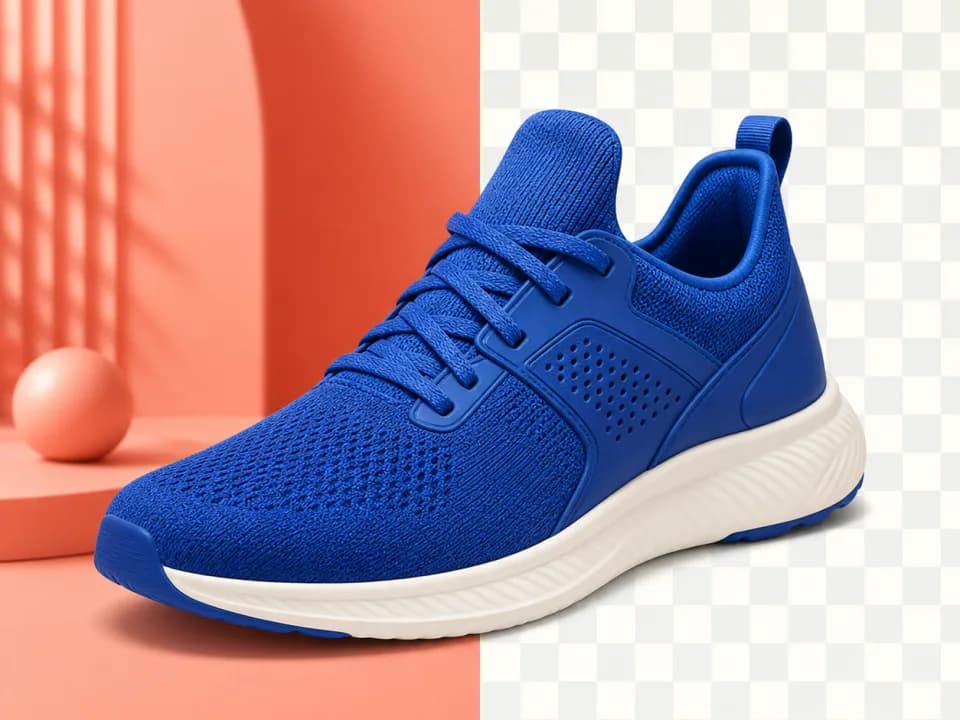
- Background removal. Export any subject on a transparent background, ready to drop into other work.
- Multi-ref editing. Up to five input images in a single generation, which xAI frames as removing the need for manual compositing.
The claim underneath all four is preservation: xAI says the model holds on to what you feed it across generations and edits. That is the one worth testing, because it is what separates an editor from a slot machine. We ran three unrelated edits in sequence, each one taking the previous output as its input.
The five-reference number is the one to note. xAI's current image API documents that "multi-image editing supports up to 3 source images in a single request", so 2.0 is a real jump in how much you can hand the model at once: a product, a model, a background, a logo, and a style plate, composed in one pass. Whether five references actually beat three in practice depends on giving each one a distinct job, which is the same discipline that governs the older model. We cover that in the Grok image editing guide.
It is also where we found the clearest limit. Handing the model a subject and a separate product shot does remove the compositing job, and the lighting match is genuinely good. The packaging is what does not survive.
Smart resize and 15 templates
Smart resize is the quieter feature and probably the one you will use most. Pick a ratio and the model fills in the frame rather than cropping the composition you liked. xAI shows nine ratios: 1:2, 9:16, 2:3, 3:4, 1:1, 4:3, 3:2, 16:9, and 2:1. For anyone shipping the same creative to a story, a feed post, and a display banner, that is the tedious half of the job.
The release also adds 15 templates that package a workflow into a starting point: Photo Edit, Product Color Change, Editorial Product Poster, Reimagine, Photo Collage, Mascot Maker, BG Removal & Change, E-Commerce Photos, UGC Photos, Professional Headshot, Icon Maker, Character Sprite, Props & UI Kit, Emoji Creator, and Merch Maker. Read that list as a statement of intent. Nine of the fifteen are commerce, marketing, or product work. xAI is aiming Imagine at the people who currently pay for design hours, not at the people making wallpapers.
One more capability is aimed at video teams: xAI describes generating a character, her locations, and the props she carries separately while holding one style from image to image, then building a world for video out of them. That is asset-set consistency, and it is the workflow behind every serialized short-form channel.
Where Grok Imagine 2 ranks against GPT Image 2
xAI claims Image 2.0 "ranks second in the world in both text-to-image generation and image editing", citing the Arena leaderboards as of August 7, 2026. The published order:
| Rank | Text-to-Image Arena | Image Edit Arena |
|---|---|---|
| 1 | gpt-image-2 (OpenAI) | gpt-image-2 (OpenAI) |
| 2 | grok-imagine-image-2 (low) (xAI) | grok-imagine-image-2 (low) (xAI) |
| 3 | reve-2.1 (Reve) | muse-image (Meta) |
| 4 | muse-image (Meta) | mai-image-2.5 (Microsoft AI) |
| 5 | qwen-image-3.0-pro (Alibaba) | grok-imagine-image-quality (xAI) |
Two details are worth reading carefully before you treat this as settled. The entry ranked second is labelled grok-imagine-image-2 (low), meaning the low-compute setting, and xAI models appear on Arena under the name SpaceXAI. And the previous Quality Mode model, grok-imagine-image-quality, still sits mid-table in both boards, which is a fair measure of how far this jumped in one release.
The nuance that survives all of this: Arena is aggregate human preference across a broad prompt mix, and it does not tell you which model wins your brief. GPT Image 2 still leads both boards. Nano Banana Pro remains the model we reach for on multi-label infographics and print-bound layouts. Second place across two general leaderboards makes Grok a default candidate for far more jobs than it was yesterday. It does not make it the answer to every job.
What this changes for your workflow this week
If you produce commercial creative, the useful move today is a bake-off rather than a migration. Take three assets you already shipped, a product poster with real copy on it, a lifestyle composite built from separate references, and a headshot, and rerun them in Quality Mode. You will learn more from three of your own briefs than from any leaderboard, and the region-level editing tools mean a near-miss is now a fix rather than a reroll.
You can now run that bake-off directly in Dream Pixel Forge. Grok Imagine 2.0 is available in the image generator today.
The API is live: model ID grok-imagine-image-2.0
API access followed the launch on August 8, making Grok Imagine 2.0 available in Dream Pixel Forge. The model ID is grok-imagine-image-2.0 on xAI's own API, and xai/grok-imagine-image-2.0 through the Vercel AI Gateway. Output is priced per image, at $0.05 at 1K and $0.07 at 2K, the same rate as the grok-imagine-image-quality tier it replaces. Rate limits, regions, and the full per-model rate card are in the Grok Imagine API guide.
Grok Imagine 2.0 on Dream Pixel Forge
Grok Imagine 2.0 is live in Dream Pixel Forge now, for generation and for editing. It accepts up to three reference images per call, so the multi-reference work described above runs here rather than only on grok.com.
The short version
Grok Imagine 2.0 is live in Dream Pixel Forge now, bringing sharper text, stronger layouts, better consistency, and more precise editing.