Guides
Free Virtual Staging: What You Actually Get for Free
Free virtual staging compared: what each tool's free tier really includes, the five limits it stops at, and how to stage a listing photo without paying.
Free virtual staging is real, but almost none of it is free all the way to a published listing photo. Every tool in this category gives away the same thing: enough renders to prove the AI works on your room, gated at the exact moment the output becomes useful. The gate is usually a watermark, a two-or-three image cap, a resolution ceiling, or a license that forbids commercial use. Which gate you hit determines whether free is genuinely enough for you or a five-minute demo.
This is a survey of what each free tier actually includes, checked against the vendors' own pricing pages rather than their landing page headlines. It ends with an honest accounting of where our own free tier stops, because we run one too.
What you actually get for free
Sorted by how far free gets you, not by marketing generosity:
- Enough to evaluate quality: two to five renders, no card, sometimes no account. This is the norm. It is enough to answer "does this model understand my room" and nothing more.
- Enough to publish one photo: rare. A handful of tools give a watermark-free image you can legitimately use.
- Enough to stage a whole listing: effectively nonexistent. A six-photo listing at free-tier rates means either paying, waiting out a daily credit refresh, or making new accounts.
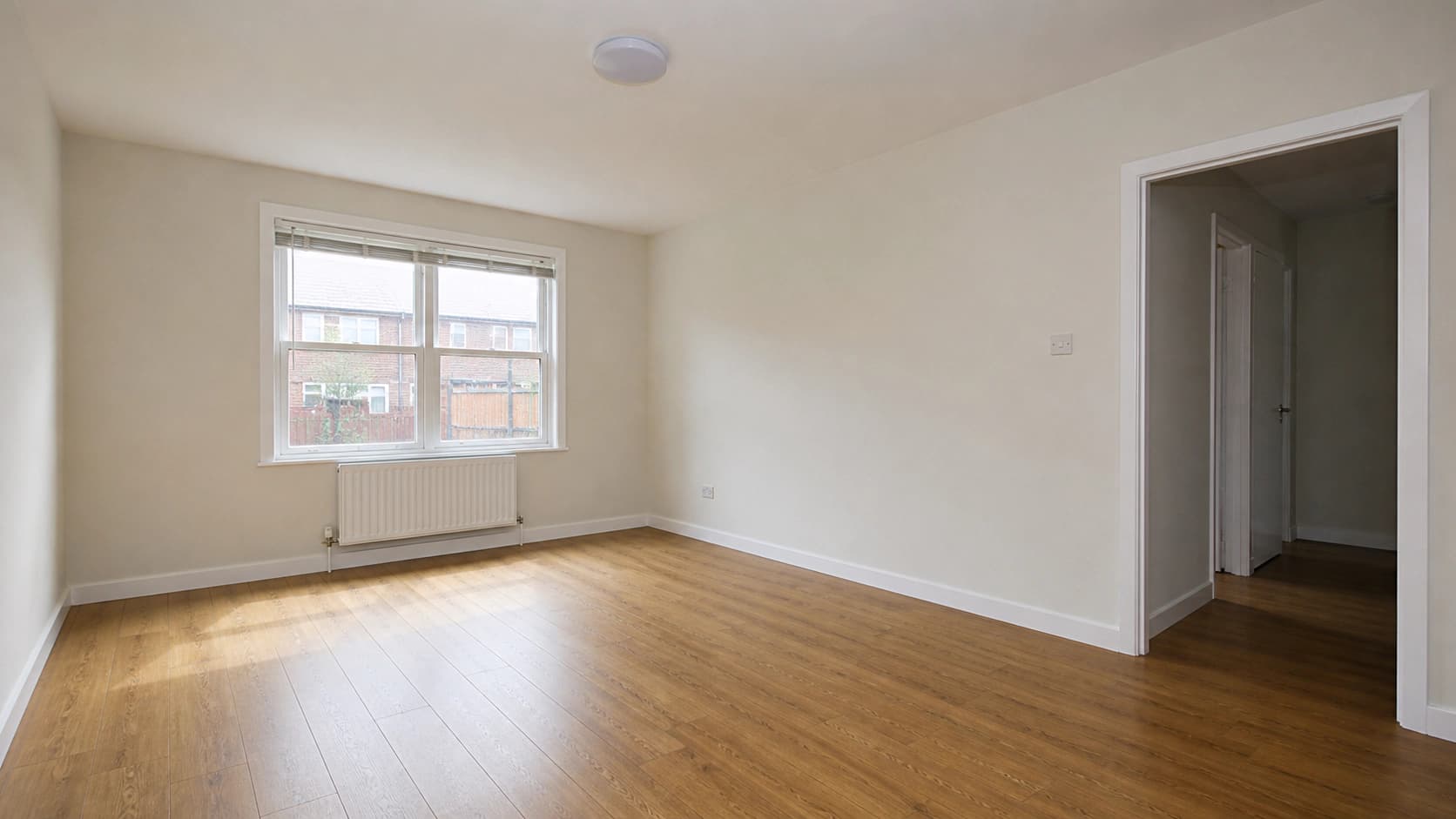
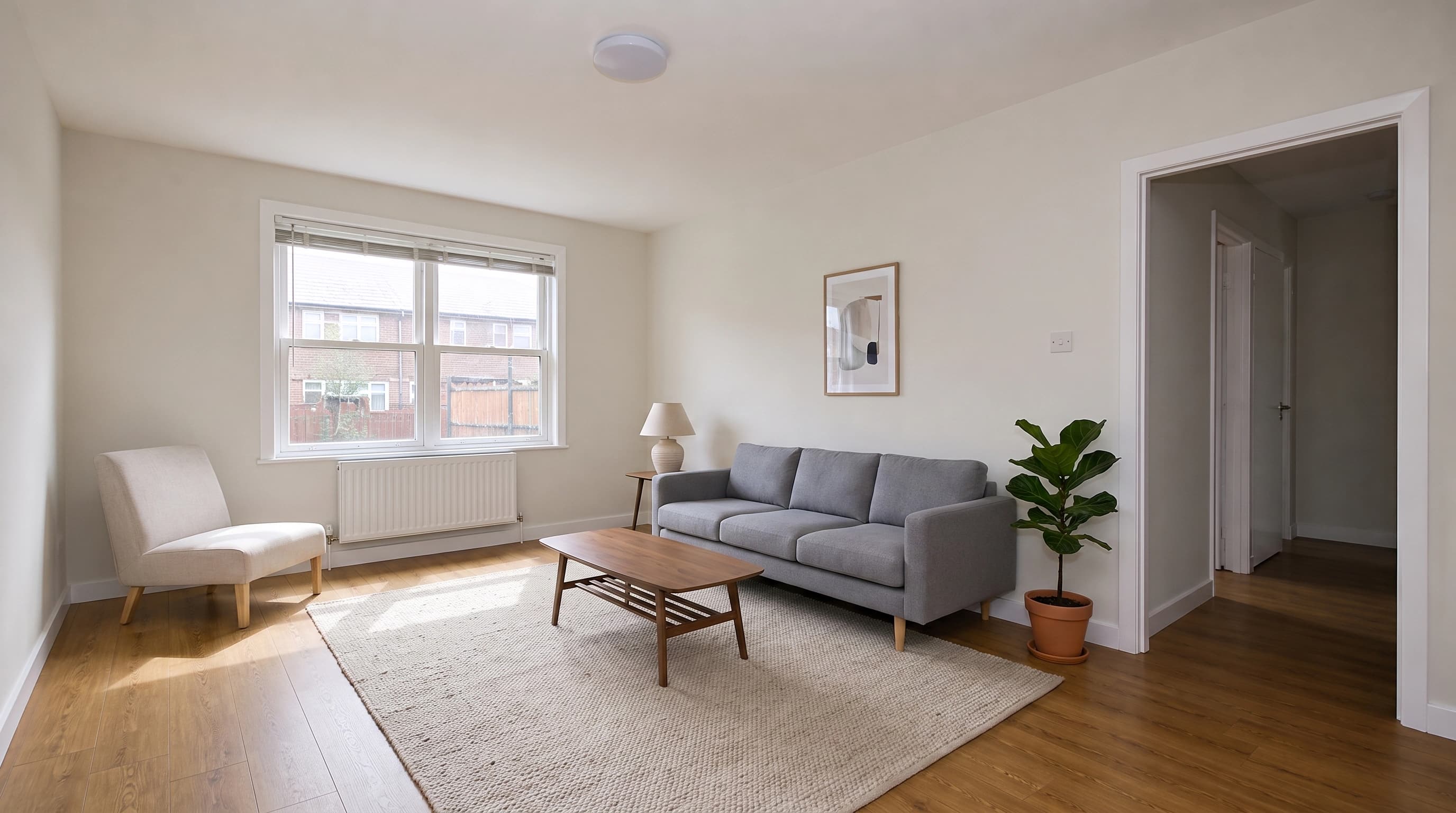
The reason is unromantic: each staged render is real GPU compute with a real per-image cost. Nobody gives away twenty of them.
The five gates free tiers use
Whatever the branding, free virtual staging stops at one of five places. Knowing which one a tool uses tells you in advance whether it will work for you.
- Watermarks. The most common gate. You see the full-quality result, you just cannot use it. Collov's free trial is explicit about this: five trials, watermarked, with commercial use excluded. Virtual Staging AI takes the same approach from the other direction, listing "No watermark" as a paid-plan feature across all four of its tiers.
- Image count. ApplyDesign gives you exactly one: "First image is free" for both its auto staging and DIY staging modes. FloorDesign.ai gives three generations on signup. REimagineHome gives five designs with no card required.
- Resolution. Downloads capped below print or MLS quality, with full resolution behind the paywall. AI HomeDesign sells this axis directly, bundling watermark-free downloads with its paid Pro plan at $35 per month for 30 photos.
- Room types and styles. A quieter limit. Some free demos stage only living rooms and bedrooms, or offer a single furniture style, which is fine until your listing has a dining room. This one rarely appears on the pricing page, so check the style picker before you assume the free render represents the product.
- Commercial-use license. The gate people miss, and the one that matters most for agents. A free render you are legally permitted to look at is not a render you are permitted to put on the MLS. Collov states outright that commercial use is not permitted on its free tier.
Gate five is worth a second read. Watermarks and resolution caps announce themselves. A license restriction does not: the file downloads clean, looks publishable, and is still a terms-of-service violation on a listing. If you are staging a property you are being paid to sell, check the license before the image quality.
Free virtual staging software compared
Verified against each vendor's live pricing page in July 2026. Free tiers change often, so confirm before you commit to a workflow.
| Tool | What is free | What it costs after |
|---|---|---|
| Collov | 5 trials, watermarked, no commercial use | $19/mo for 60 credits with a commercial license |
| REimagineHome | 5 designs, no card, watermark-free | $14 to $99/mo; the entry plan is 30 credits |
| ApplyDesign | First image free (auto or DIY staging) | Coins at $10 each, falling to $7 at 20+; a 2D image is 1 to 1.5 coins |
| HomeDesigns.AI | 2 credits with no signup, refreshing daily, plus 3 more for a free account | Paid plans; a fair-usage policy can pause free generations |
| FloorDesign.ai | 3 generations on signup | Not published on the free-facing page |
| mnml.ai | A $0 plan with credits on signup; main tools cost 10 credits per design | $29/mo Pro, $99/mo Unlimited; unused credits roll over up to 2 months |
| Virtual Staging AI | Upload and preview without an account; no free plan is listed | $16/mo for 6 photos up to $79/mo for 150 |
| AI HomeDesign | No free tier on the pricing page | $35/mo for 30 photos, or $19/mo billed yearly |
Two patterns fall out of that table. First, the entry price for real commercial use clusters between $14 and $19 a month, so the practical question is not free versus paid but whether you will stage more than a couple of photos a month. Second, the tools with the most generous free tiers tend to charge the most per image afterwards, which is a fair trade if you stage occasionally and a bad one if you list weekly. For a deeper comparison of the paid products themselves, see our guide to virtual staging software.
Is virtual staging AI free?
Partly, and consistently in the same shape. Virtual staging AI free tiers exist at nearly every vendor because the demo is the sales pitch: the render is impressive enough that seeing it on your own empty room converts better than any screenshot. So vendors give away the render and charge for the file.
What that means in practice: you can almost always find out for free whether AI staging will work on your specific photo. Upload the awkward one, the narrow galley kitchen with the window in the wrong place or the bedroom shot from the doorway at a bad angle. That is the honest test, and it costs nothing anywhere. What you cannot do for free is run a business on it.
One warning about the free-tier round-ups you will find alongside this article. Most are affiliate content, and they describe free tiers as they were when the post was written. Free credit amounts get cut quietly. Every number in the table above was pulled from the vendor's live pricing page, and it will still drift.
How can I virtually stage my home for free?
The workflow that actually produces a usable image, rather than a watermarked preview:
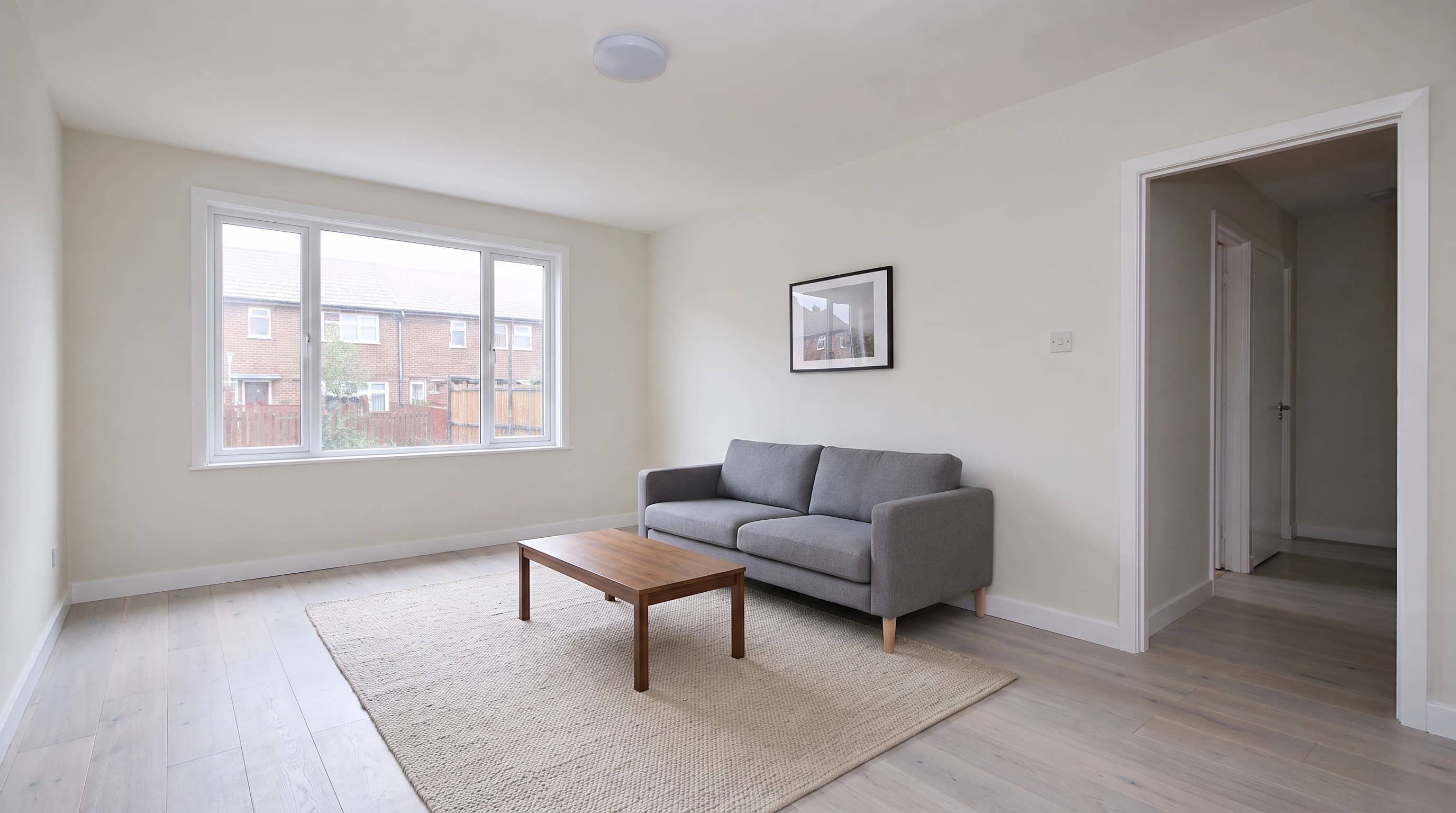
- Empty the room and shoot it properly. AI staging adds furniture to what you give it. It does not fix a dark, tilted, or cluttered photo, and any flaw in the original survives into the staged version. Shoot in daylight, hold the camera at chest height, keep verticals straight, and stand in a corner so the widest view of the room is in frame.
- Remove anything you do not want staged around. Leftover boxes, a mop, a bare mattress. Models tend to work around clutter rather than remove it, so you get furniture arranged politely around your mop.
- Pick the room type and one furniture style before you generate. Transitional and modern farmhouse are the broad-appeal defaults for a reason. Save your taste for your own house.
- Spend your free renders on your hardest room first. If a tool handles your worst photo, the easy ones are safe. If you burn three free credits on the photogenic living room you learn nothing.
- Check the output against the real room, not against how nice it looks. Windows in the right place, doors still where they open, flooring unchanged, no furniture floating or clipping through a wall. A pretty render of a room that does not exist is worse than no staging.
- Confirm the license before you upload it anywhere public. See gate five.
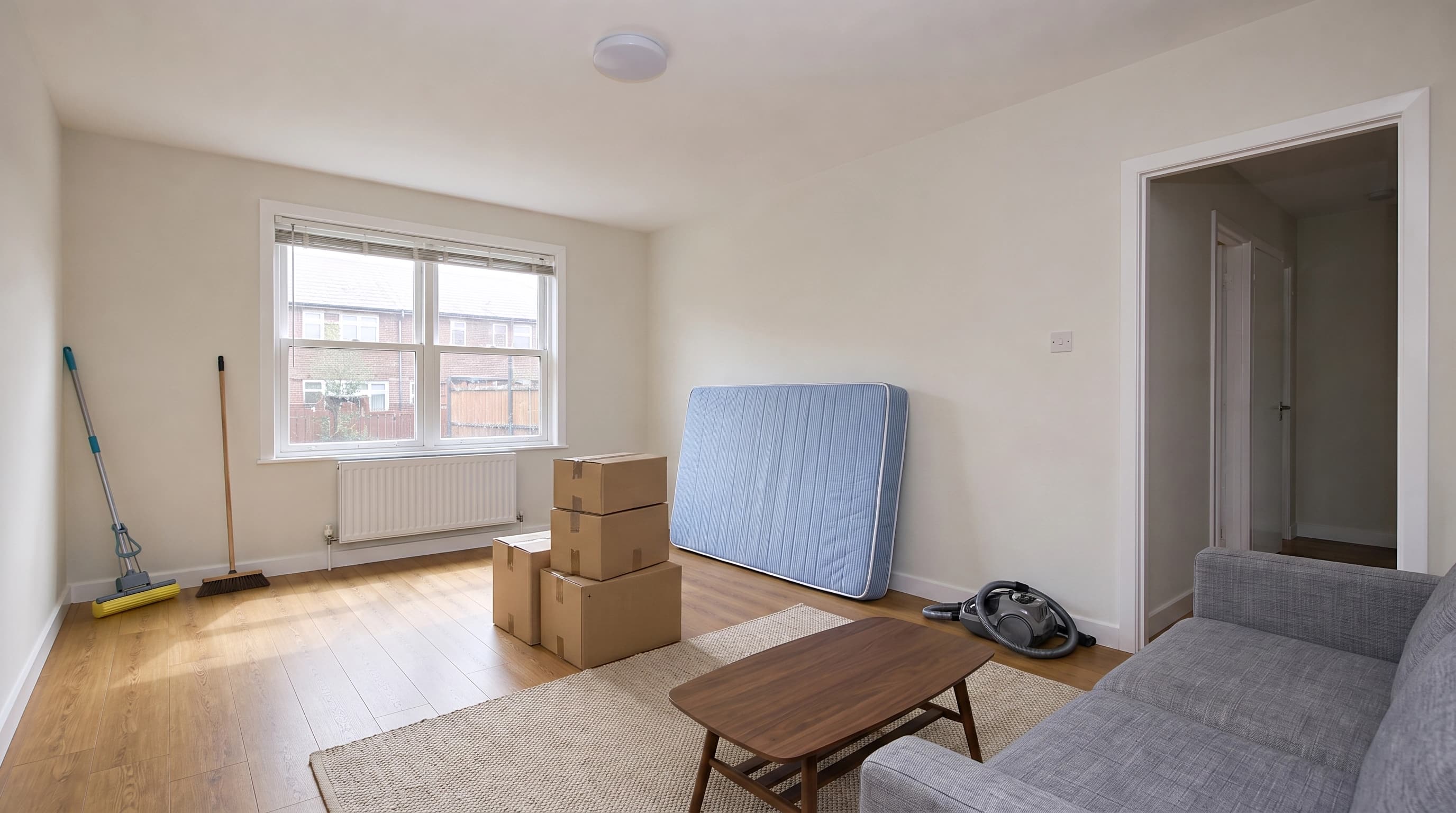
Steps one and two are where most free attempts fail, and neither costs anything. The single highest-return free action in virtual staging is retaking the photo.
Can I virtually stage my own home?
Yes, and for a for-sale-by-owner listing it is the obvious move. DIY virtual staging used to mean compositing furniture cutouts in Photoshop, which took an afternoon per room and looked it, because matching perspective and shadow by hand is genuinely hard. AI staging collapsed that to an upload and a style choice.
The part that did not change is disclosure. Check your MLS rules on labeling virtually staged photos before you upload, and treat the underlying property as untouchable. Adding a sofa is staging. Removing a support column, changing the flooring, or widening a window is misrepresentation, and doing it accidentally is easy when a model reinterprets a room instead of furnishing it. That is the whole reason architectural preservation matters more than furniture quality in this category. More on the listing side in virtual staging for real estate.
What is the app to virtually stage a house?
There is no single one, and the phone-app framing is usually the wrong one. Most tools in this category are browser tools you upload a photo to, and a browser tool is better here: you want the highest-resolution original from your camera or your photographer, not a compressed copy that took a round trip through a phone.
A genuinely free virtual staging app on your phone is best used the way you would use a sketch. Shoot the room, stage it on your phone to see whether the layout reads, then run the real render from the full-resolution file when you are ready to publish. If you want the general explanation of the technique before choosing a tool, start with what virtual staging is.
People also try general-purpose chatbots for this. It half works and fails in a specific way, which we covered separately in can ChatGPT do virtual staging.
How much does it cost to virtually stage a house?
Three price tiers, an order of magnitude apart each time.
- Self-serve AI: roughly $0.30 to $1.20 per image once you are on a subscription. Collov's $19 plan works out near $0.32 a credit; AI HomeDesign publishes $1.17 per photo on its monthly Pro plan and $0.49 on Enterprise volume.
- Human-edited virtual staging: tens of dollars per image. BoxBrownie lists virtual staging at US$30 per image, with basic image enhancement at US$2. You are paying for a person to place and light the furniture, and it shows.
- Physical staging: thousands. NAR's 2025 Profile of Home Staging puts the median cost of a professional stager at $1,500, versus $500 when the listing agent handles it, as reported by Chicago Agent Magazine. The same report found 49% of agents said staging reduced time on market and 19% of sellers' agents reported a 1% to 5% lift in offers.
A whole six-photo listing costs somewhere between about $2 and $180 depending on which row you pick. That spread, not the free tier, is the real decision.
Where our free tier stops
We run a virtual staging tool with a free tier, so the same scrutiny applies. Here is exactly where it stops:
- Without an account: 3 trial credits. A staged image costs 2 credits, so that is one render plus change. Those outputs are watermarked, and the license is evaluation only.
- With a free account: 15 credits on signup, about seven staged images, plus 2 more credits a day whenever your balance drops below 6. Signing up also removes the watermark from everything you generated before it, because the clean file was always in storage.
- The hard stop: free-tier output is licensed for personal and evaluation use only. Putting a staged photo on an MLS listing is commercial use, and that needs a paid plan, which starts at $12 a month for 300 credits, or 150 staged images.
- Also gated: one saved brand profile and no video generation on the free tier.
So: our free tier is the "enough to evaluate quality" category from the top of this article, with a more generous render count than most and the same license gate as everyone else. If you need one staged photo for your own use, free covers it. If you are an agent staging listings, you are going to pay someone, and the honest comparison is $12 a month against $30 an image.
What we optimize for is the thing free demos are worst at showing: keeping the room. Walls, windows, flooring, trim, and the camera angle stay exactly as photographed, and only furniture, rugs, art, and decor are added. Test that claim on your worst photo with the free credits, which is what they are for.
Try it now
Free to try, no account needed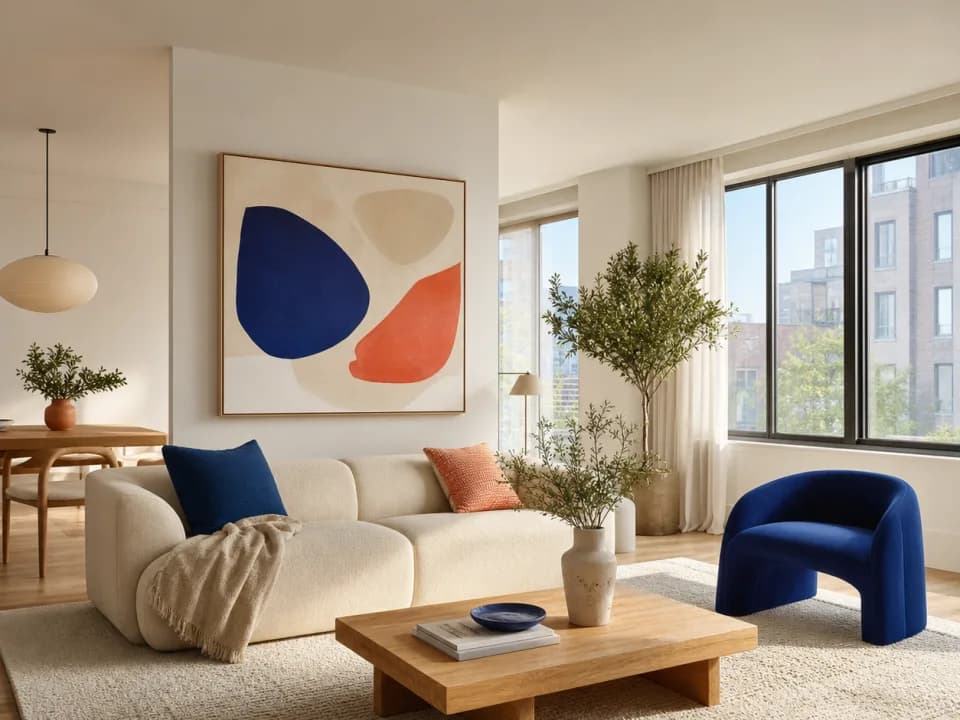 Example output
Your generated image will replace this example.
The short answer
Free virtual staging is a quality test, not a workflow. Use it that way and it is genuinely valuable: two or three tools, your hardest room, half an hour, no card. Then read the license on whichever one won, because that is the limit that will actually stop you, and it is the one the landing pages never lead with.