Guides
What Is Virtual Staging? Costs, Rules, and Limits
What is virtual staging? Adding furniture to a photo of an empty room, not the room itself. What it costs, and the MLS disclosure rules that apply.
Virtual staging is the practice of adding furniture, rugs, art, and decor to a photograph of an empty room using software, so a listing photo shows a furnished space that was never physically furnished. Nothing is delivered to the house. The room stays empty; only the picture changes.
It exists because empty rooms photograph badly. Buyers struggle to judge scale from bare walls, and they struggle to picture themselves living somewhere that looks abandoned. Physical staging solves that by trucking in furniture. Virtual staging solves the photo, which for most of the buying process is all a shopper ever sees.
This guide covers what the term means, how it differs from physical staging and from ordinary photo retouching, what it actually costs against sourced figures, what the disclosure rules say (they are real, they are enforced, and they are not national), and where it stops working.
What does virtual staging mean?
The plain definition: an interior design created in a graphic editor and composited onto a real photograph of a real room. Wikipedia's entry on virtual home staging describes it as “a type of home staging in which an interior design is created in a graphic editor.” Bright MLS, which covers the mid-Atlantic, writes the same idea as a rule: “‘Virtual Staging’ means using software to create a photo or conceptual rendering of what a room or property could look like, if it was staged or lived in.”
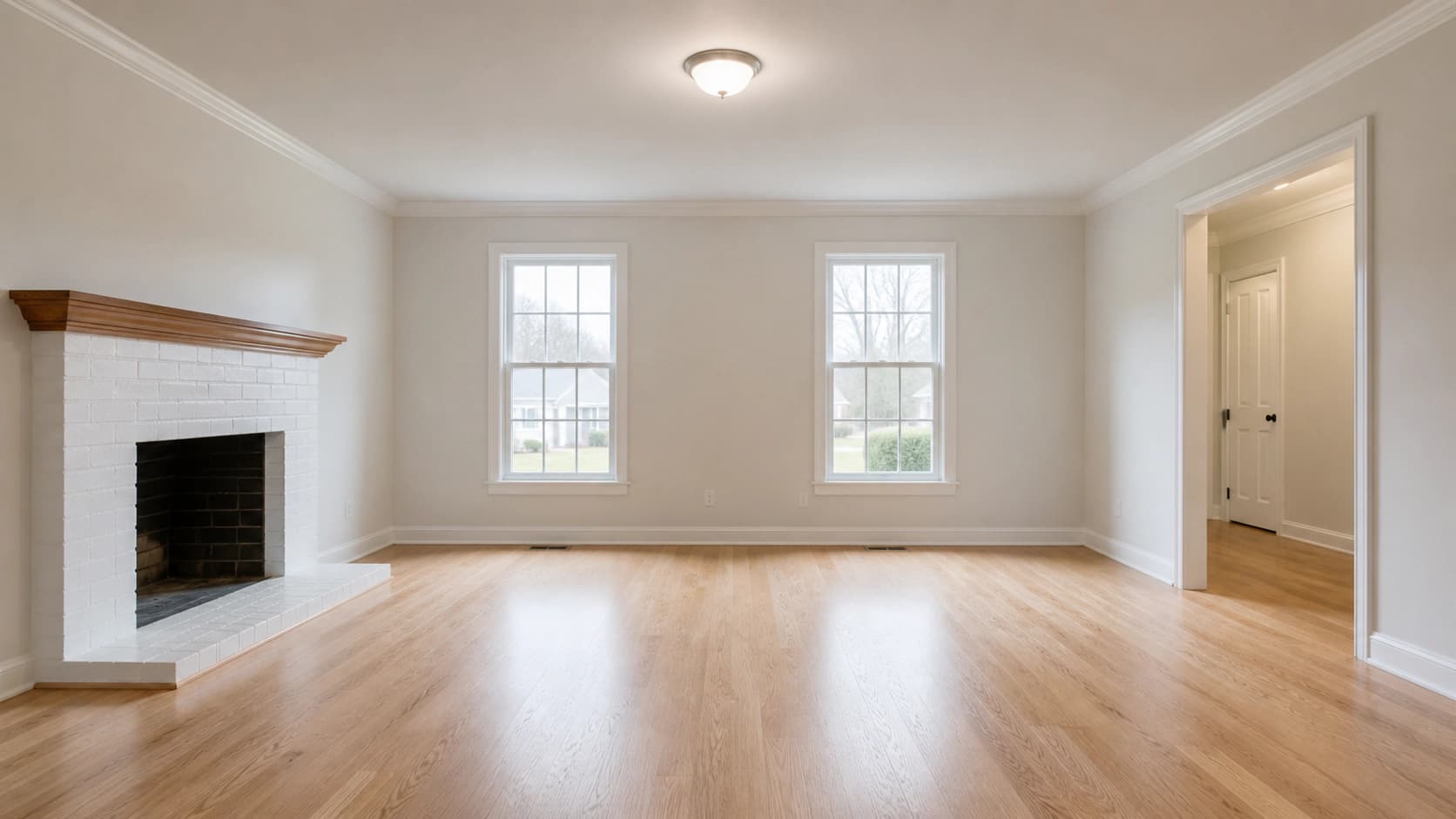
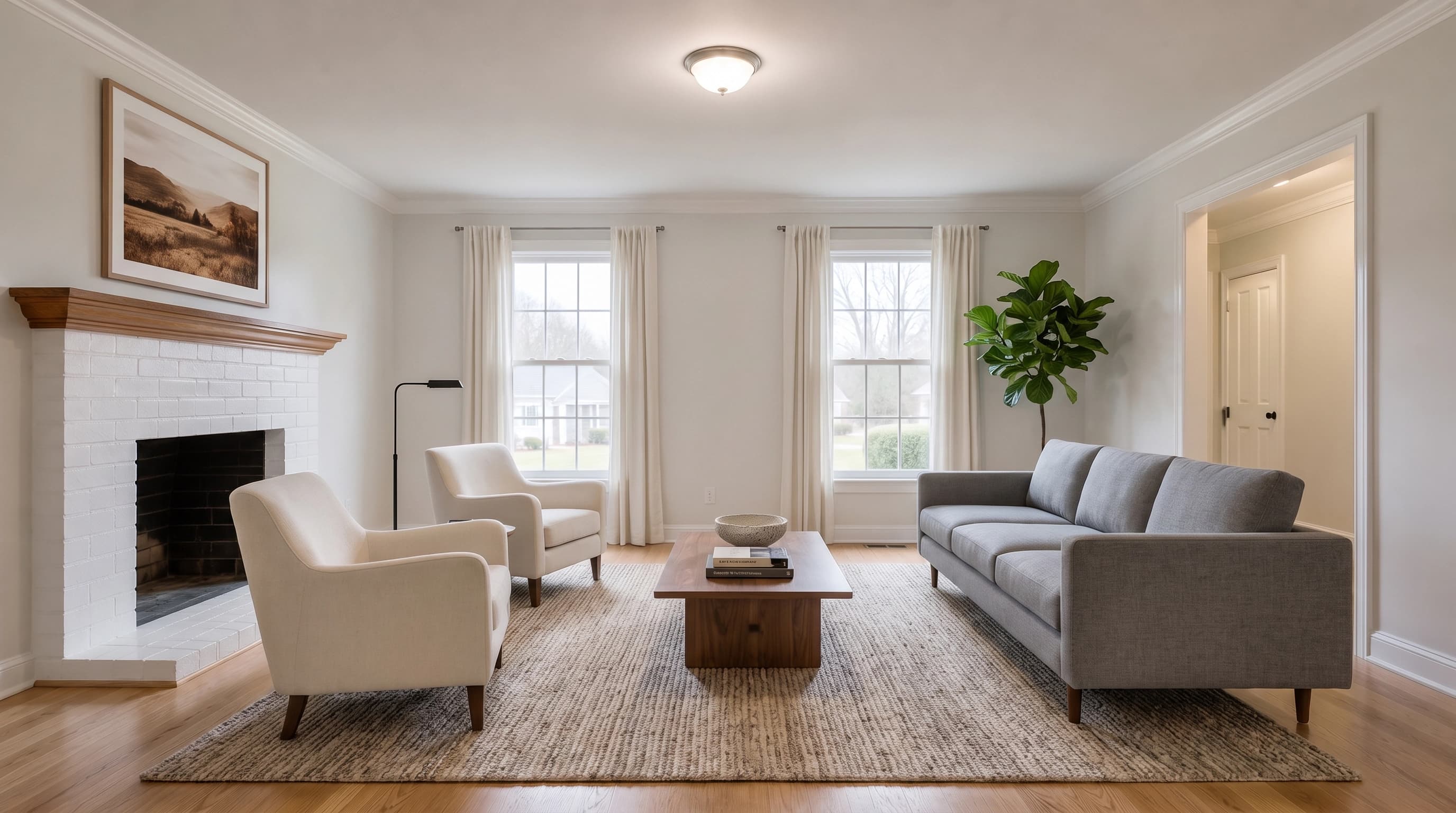
You will see the same thing sold under several names. Digital staging is the most common synonym and means exactly the same practice. Virtual home staging is the residential phrasing. When someone says AI virtual staging, they mean the delivery method changed, not the definition: instead of a human artist masking and compositing furniture in Photoshop over a day or two, a generative model produces the furnished version of the photo in seconds.
What matters for the definition is the boundary. Virtual staging adds movable things: sofas, beds, rugs, lamps, art, plants. It does not change the house. The moment the edit alters a wall, a window, a floor, or the view out of it, you have left staging and entered something the MLS rules treat very differently.
Virtual staging vs physical staging vs photo editing
Three practices get confused with each other, and the differences are the whole subject.
| Physical staging | Virtual staging | Photo editing | |
|---|---|---|---|
| What changes | The actual room | The photo of the room | How the photo looks |
| Typical work | Rented furniture, delivery, install, removal | Furniture composited into a listing photo | Exposure, white balance, straightening, cropping |
| Effect in person | Buyers walk into a furnished home | None. The showing is of an empty room | None |
| Disclosure | Not required | Required by many MLSs, with fines | Generally allowed without disclosure |
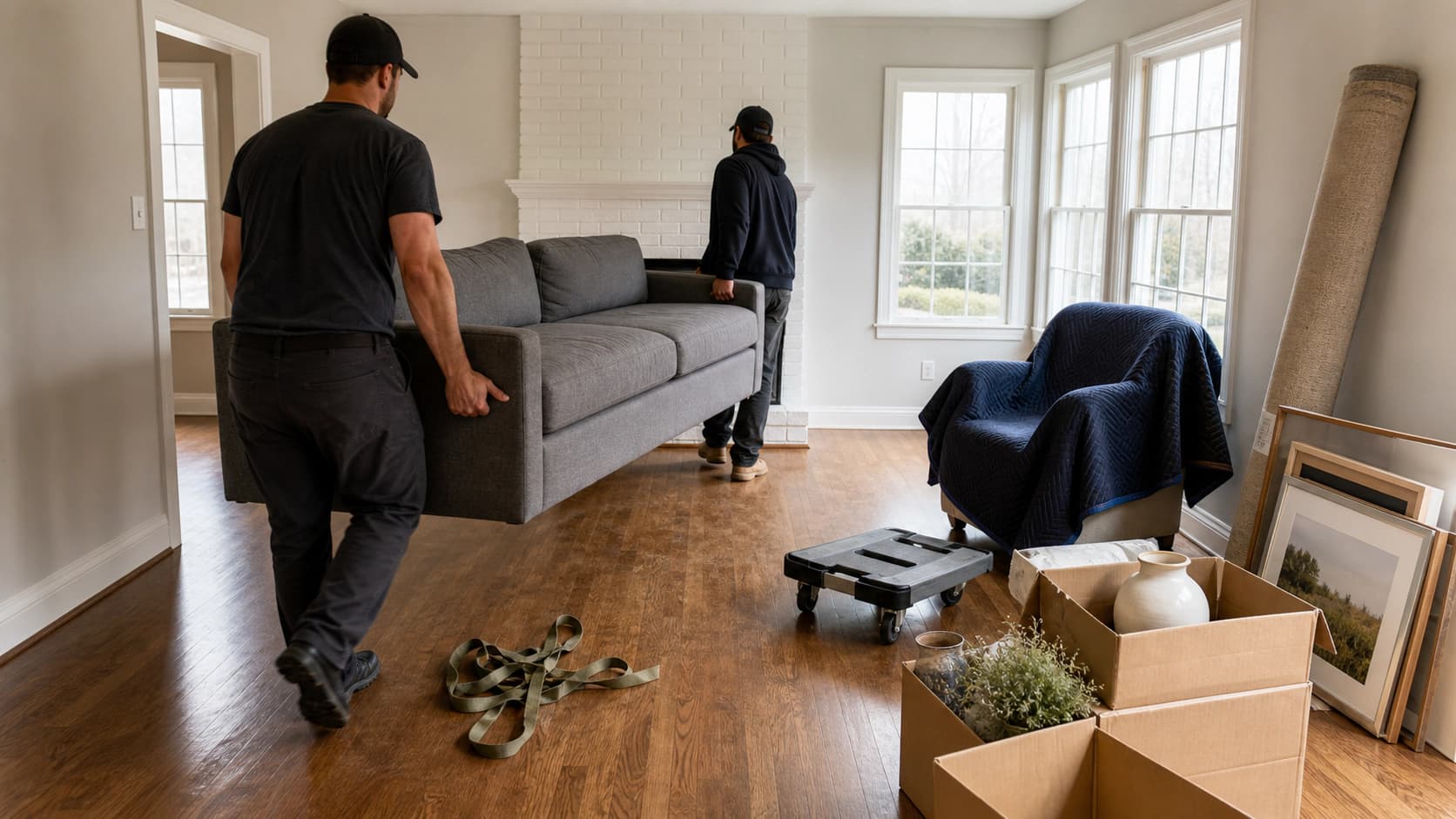
The middle column is the one people underrate. Virtual staging does not make a house show better. It makes a house get shown. Its entire job is winning the click and the appointment, and then the empty room has to carry the visit on its own.
The third column matters legally. Routine corrections are not staging and are not treated as deception. CRMLS, the California Regional MLS, spells this out: “Common photo edits, such as adjustments to the lighting, sharpening, white balance, color correction, angle, straightening, cropping, and exposure, are allowed as long as they do not change how the property is represented.” Adding a sofa changes what is being represented. Fixing the white balance does not.
How much does it cost to do virtual staging?
Per image, virtual staging runs from well under a dollar to about thirty dollars, depending on whether a human does the compositing.
- Human-edited services: BoxBrownie's published price list is US$30 per image for residential or commercial virtual staging, and US$60 for 360 degree virtual staging.
- AI tools: Virtual Staging AI's published plans run from $16 per month for 6 photos ($2.67 per photo) to $79 per month for 150 photos ($0.53 per photo), with a stated 10 second turnaround.
The comparison that actually decides the question is against physical staging. The National Association of REALTORS 2025 Profile of Home Staging reports that “the median dollar value spent when using a staging service was $1,500, compared to $500 when the sellers' agent personally staged the home.”
So a six photo virtual staging set costs roughly $180 at professional service rates, or a few dollars with an AI tool, against a $1,500 median for a staging service. That is the real argument, and it is why virtual staging spread: for a vacant listing where the seller has already moved out, the photo-only version costs a rounding error of the physical one.
Turnaround follows the same split. Human services quote in days. AI tools quote in seconds. Physical staging involves scheduling a walkthrough, a delivery, and a removal, which is why it is rarely the choice for a listing that needs photos this week.
For the free end of that range, and what the free tiers actually cap, see free virtual staging. For a side by side of the paid tools, see virtual staging software.
Is virtual staging illegal?
No. Virtual staging is legal and mainstream. What is regulated is failing to disclose it, and the rules that do the regulating are not federal. They are a patchwork of individual MLS rulebooks, one state statute, and the REALTOR Code of Ethics. Anyone telling you “the rule is X” nationally is guessing. Check your own MLS.
Here is what four named MLSs actually publish, quoted from their own documents:
| MLS | What it requires | Penalty |
|---|---|---|
| Bright MLS (mid-Atlantic) | “Virtually-staged photo(s)/rendering(s) must be disclosed in the MLS.” | Non-conforming images may be removed from the database |
| Stellar MLS (Florida) | “Virtually staged” in the photo description field, the virtually staged field checked, and the public remarks must open with “One or more photo(s) was virtually staged.” | Photos removed plus an automatic Level I fine |
| CRMLS (California) | Label the image “digitally enhanced,” “digitally altered,” or “virtually staged,” and place the original unaltered version immediately before or after it | Warning, then a $250 fine |
| ARMLS (Arizona) | A “Digitally Altered” watermark paired with the original unaltered photo directly before or after | $200 per occurrence once enforcement begins |
Three details are worth pulling out of that table.
The requirements are not the same. Bright and Stellar want disclosure text. CRMLS and ARMLS go further and require the untouched original to sit next to the staged version in the listing. Complying with one MLS does not mean complying with another.
They conflict on new construction. Stellar MLS states flatly that “Virtual Staging shall not be used for Pre-Construction & Under Construction properties.” Bright MLS permits exactly that: virtually staged renderings on to-be-built or under-construction property are allowed. Same practice, opposite rules, two states.
California now has a statute behind it. CRMLS's Rule 11.5.2 guidance ties its labeling requirement to California AB 723, which the MLS says went into effect on January 1, 2026. That is the one case in this set where a state law, not just an association policy, is doing the work. Arizona's ARMLS rule is on a phased timeline: implementation on May 28, 2026, an education period through November 2026, and fines from December 2026.
Above all of it sits the REALTOR Code of Ethics, which binds NAR members through association discipline rather than law. Article 12 requires that REALTORS “present a true picture in their advertising, marketing, and other representations,” and Standard of Practice 12-10 prohibits manipulating listing content in ways that produce a deceptive or misleading result, “including use of misleading images.” The Code does not name virtual staging or prescribe a label. It sets the principle the MLS rules implement.
What virtual staging is not allowed to do
The published rules draw a consistent line, and it is a useful one even if your MLS has no policy at all: add the furniture, never edit the house. Stellar MLS's Article 04.04 is the most specific version of this, prohibiting edits that:
- attach, remove, alter, or add permanent fixtures, inside or out;
- “exclude negative visual elements,” giving “holes in the wall, exposed wiring, damaged flooring” as the examples;
- “include visual elements not within a property owner's control,” such as editing in a water view that is not physically possible from that location;
- “distort the dimensions of a room or space,” the example given being small furniture used to make a room look larger;
- stage the exterior at all, apart from unattached furniture or decor.
Bright MLS words the same prohibitions from the other direction, banning both editing in a view that is not physically possible and editing out things like “power lines, water towers, or nearby highways.”
Undersized furniture is the failure worth naming twice, because it is the one people commit by accident. A sofa scaled slightly too small makes a room read larger, which is why it is explicitly prohibited rather than merely discouraged. When you review a staged image, check furniture against something whose real size you know: a door, a window, a fireplace surround.

The limits nobody puts in the sales copy
Virtual staging has three honest weaknesses.
The house has to survive the showing. Staged photos raise expectations and then hand the buyer an empty room. That gap is the whole risk of the technique, and it is the reason disclosure rules exist in the first place.
Pixel integrity is the actual quality bar. Weak tools redraw the room while they furnish it. Window mullions shift, the fireplace changes proportion, floorboards run a new direction, trim disappears. A staged photo whose architecture no longer matches the property is not just low quality, it is the thing the MLS rules prohibit. Compare the staged image against the original at full size before it goes anywhere near a listing.

It does not fix a bad photo. Blown-out windows, a crooked camera, a dim room: staging composited on top inherits all of it. Fix the photograph first.
Is virtual staging a good idea?
For a vacant listing, on cost alone, usually yes. The staging that virtual staging substitutes for demonstrably does something: in NAR's 2025 survey, 83 percent of buyers' agents said staging a home made it easier for a buyer to visualize the property as a future home, and 19 percent of sellers' agents reported staging increased the dollar value offered by one to five percent compared with similar homes.
Read the same report honestly, though. Twelve percent of buyers' agents said staging had no effect on buyers at all, and only 21 percent of sellers' agents said they staged every listing. Staging is a lever, not a law, and virtual staging is the cheap version of that lever, applied only to the photos.
The cases where it is clearly the right call: the home is empty, the seller has already moved out, the listing photos are the first and often only impression, and physical staging's median $1,500 does not fit the marketing budget. The cases where it is not: an occupied home that already shows well, a property whose problems are structural rather than presentational, or any listing in an MLS whose rules you have not read.
You can stage a room yourself and see the output before deciding anything. The virtual staging tool in Dream Pixel Forge takes your own photo of the empty room, keeps the existing architecture, walls, windows, flooring, and camera angle unchanged, and adds only furniture and decor. Upload the real listing photo, not a demo image, and judge it at the window frames.
Try it now
Free to try, no account needed Example output
Your generated image will replace this example.
Where to go from here
This page is the definition. The rest of the cluster covers the parts that need their own answer:
- Virtual staging for real estate: the agent's workflow, from photo to compliant listing.
- Free virtual staging: what the free tiers actually give you and where they stop.
- Virtual staging software: how the paid tools compare on output quality.
- Can ChatGPT do virtual staging?: why a general chat model handles this differently from a purpose-built tool.
And before any of it: open your MLS's rules and regulations, search for “virtual staging” or “digitally altered,” and read the paragraph you find there. It takes two minutes and it is the only version of the rule that applies to you.