Guides
AI Fashion Model Generator: Shoot a Lookbook With One Model
An AI fashion model generator can carry a whole lookbook once the model's identity is locked. The shot list, the model routing, the costs, and the limits.
An AI fashion model generator produces photographs of a model wearing clothes without a model, a photographer, or a studio. The tools split into two very different categories, and picking the wrong one is the most common reason a lookbook shoot fails: garment-transfer tools put your exact product photo onto a synthetic body, while persona-first generators build a model whose identity you own and reuse across an entire season. This guide covers the second workflow in production detail, including the shot list, the model routing, the failure modes, and the consent rules that apply the moment a real person is involved.
The two kinds of AI fashion model generator
Before writing a single prompt, decide which problem you actually have.
Garment transfer. You upload a flat lay or ghost-mannequin shot of a real product and the tool renders a synthetic model wearing that specific garment. Botika describes its own job as turning flat lays into on-model photos, and that is the category promise: the sleeve length, the print placement, and the button count are supposed to survive. This is what a Shopify apparel catalog needs, because the customer is buying the exact item in the frame.
Persona-first generation. You build a model, lock her identity, and then generate her wearing outfits you describe. The clothing is generated, not transferred, so it will be plausible rather than pixel-accurate to a specific SKU. This is what campaign imagery, lookbooks, moodboards, ads, and social content need, where the job is to sell a look and a brand world rather than to document a product.
Dream Pixel Forge is the second kind. There is no virtual try-on and no garment upload that guarantees your exact jacket comes back stitch for stitch. If your requirement is catalog accuracy on real inventory, use a transfer tool and stop reading here. If you need a recurring face for a brand, a lookbook that does not require booking anyone, or content volume that a shoot day cannot produce, the workflow below is built for that.
Which job you have
| You need | Right tool class | Why |
|---|---|---|
| Product detail page shots of real inventory | Garment transfer | The buyer is purchasing the exact item shown |
| Lookbook, campaign, moodboard imagery | Persona-first | Styling and mood carry the frame, not stitch fidelity |
| A recurring brand face across a season | Persona-first | Identity lock is the whole feature |
| Paid social variants at volume | Persona-first | Cost per image drops to a few credits |
| Size and fit representation | Neither, shoot it | No generator can honestly show fit on a real body |
Build the AI fashion model before you build the shoot
The failure mode of every AI photoshoot is drift: image four looks like a different woman than image one, so the set reads as stock photography rather than a campaign. The fix is to settle identity once, in a character sheet, and generate everything afterwards against that sheet. Our guide to consistent character AI covers why prompt-only descriptions cannot hold a face and what the alternatives are, so this section stays on the fashion-specific part.
In Dream Pixel Forge the sheet is a single image containing exactly four views: three full-body standing views left to right (front facing with arms relaxed, exact left side profile, back view), then a head-and-shoulders close-up as the fourth panel. That layout is not decorative. The profile is what keeps a silhouette stable when a garment changes the body line, the back view is what makes a coat or a dress photograph correctly from behind, and the close-up is what holds the face at portrait crops. The sheet goes into a review state before it becomes usable, and revision feedback regenerates it, so the loop is approve or describe what is wrong, not regenerate and hope.
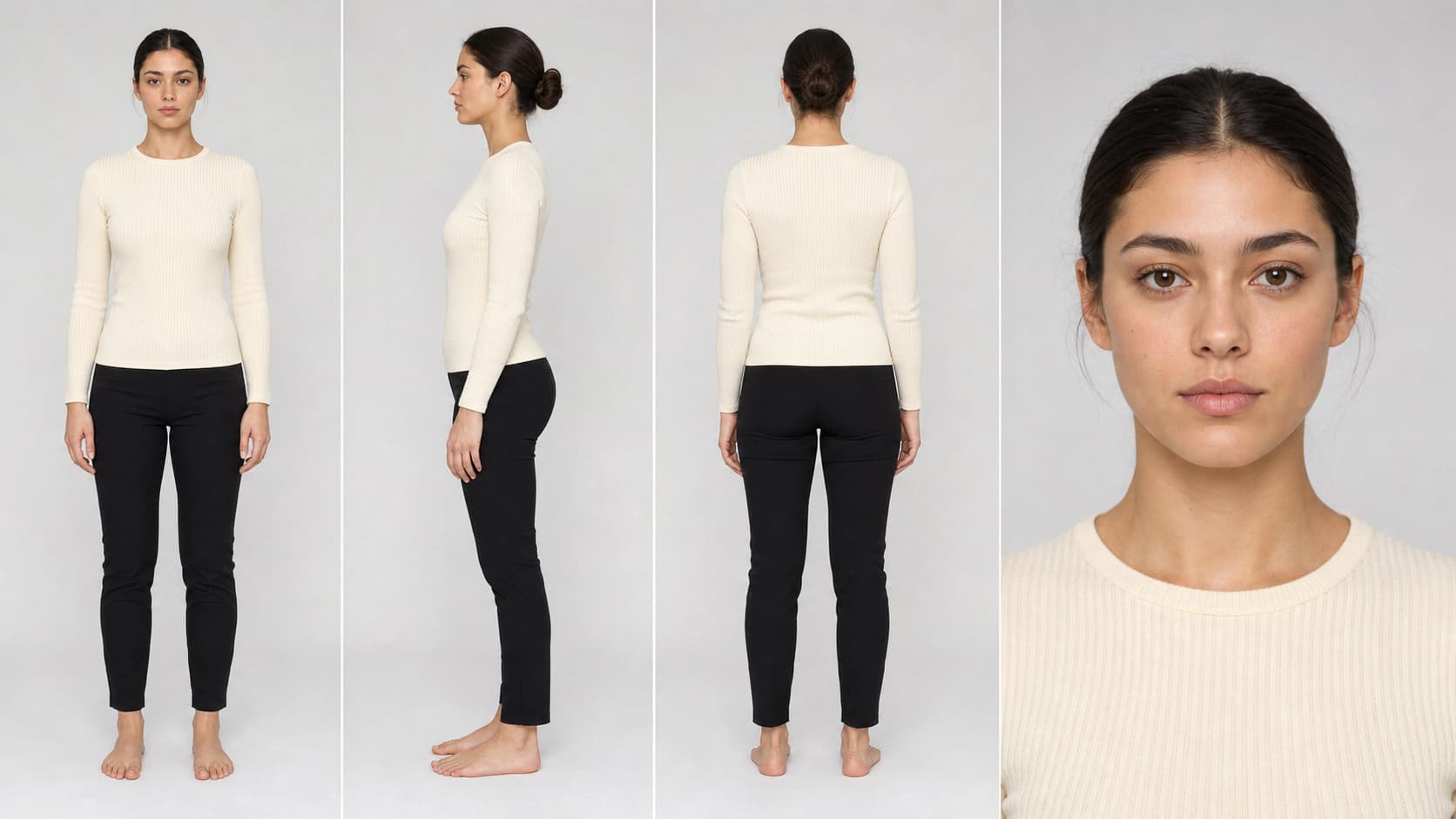
Three fashion-specific choices belong in the sheet rather than in later prompts, because changing them later restarts the drift problem:
- Body and proportion. The sheet fixes the frame your clothes hang on. If your brand shoots on a taller athletic figure, decide that here.
- Hair, at a working length. Long loose hair covers shoulder seams and necklines in half your shots. Pick a look that keeps the garment readable.
- Neutral base styling. Put the model in simple fitted basics on the sheet. A sheet shot in a statement coat teaches the model that the coat is part of her identity.
The AI influencer generator runs this flow end to end, and how to create an AI influencer walks through the persona setup step by step if you want the full sequence.
How to do an AI photoshoot: build the shot list first
Photographers do not walk onto set and improvise, and neither should you, because every generation costs credits and the temptation to keep rerolling is what turns a cheap shoot expensive. Write the shot list before you generate anything. A workable lookbook block per outfit is five frames:
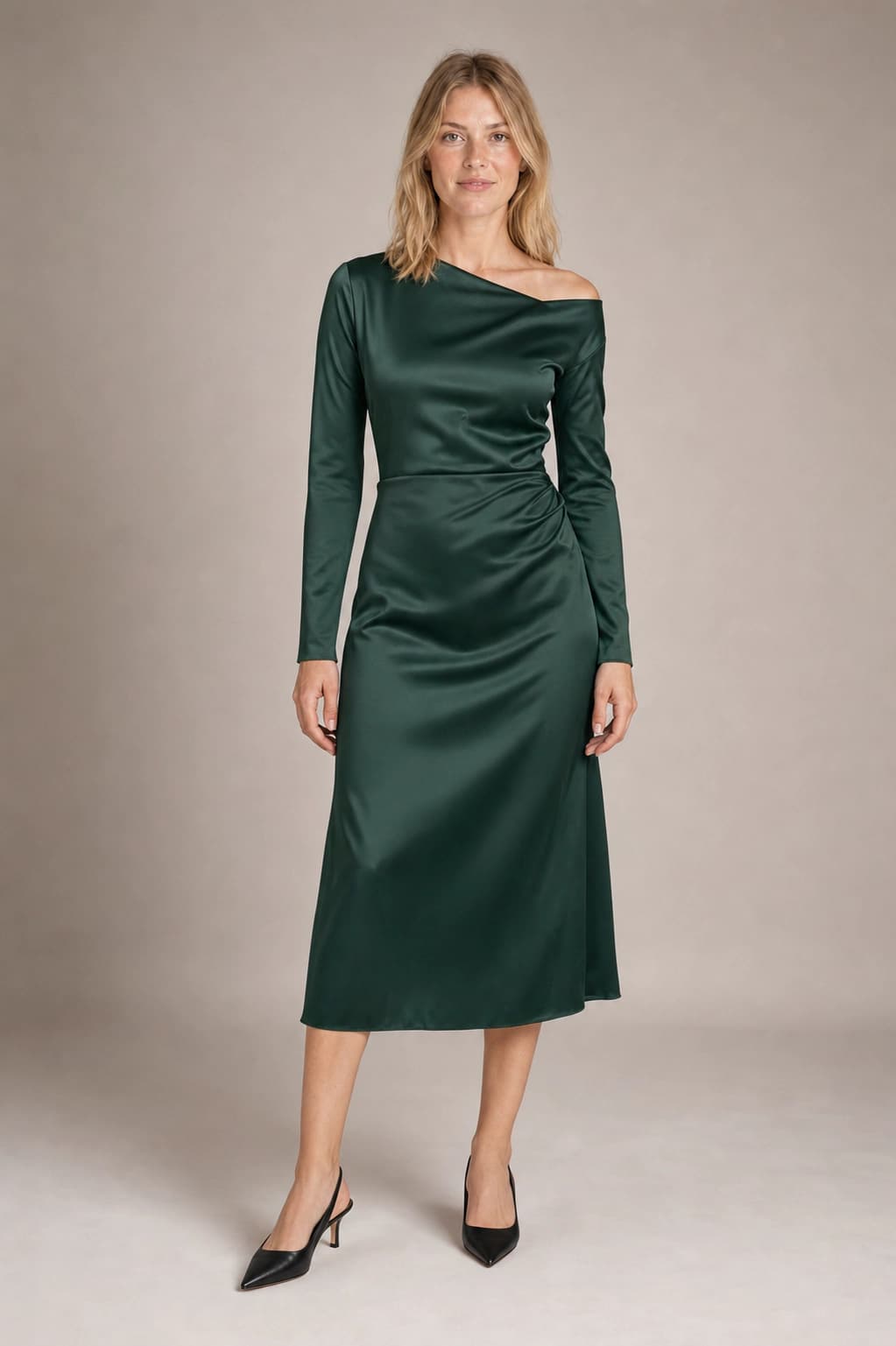
- Hero full body. Whole garment head to feet, simple background, front on. This is the frame the outfit lives or dies on.
- Three-quarter turn. Same outfit, body angled, shows drape and volume that a flat front shot hides.
- Detail crop. Waist up or a hands-and-cuff crop for texture, hardware, and layering.
- Environmental. The model in a location that carries the brand world, garment still readable.
- Movement. Walking, turning, or seated, which is what makes a set feel photographed rather than posed.
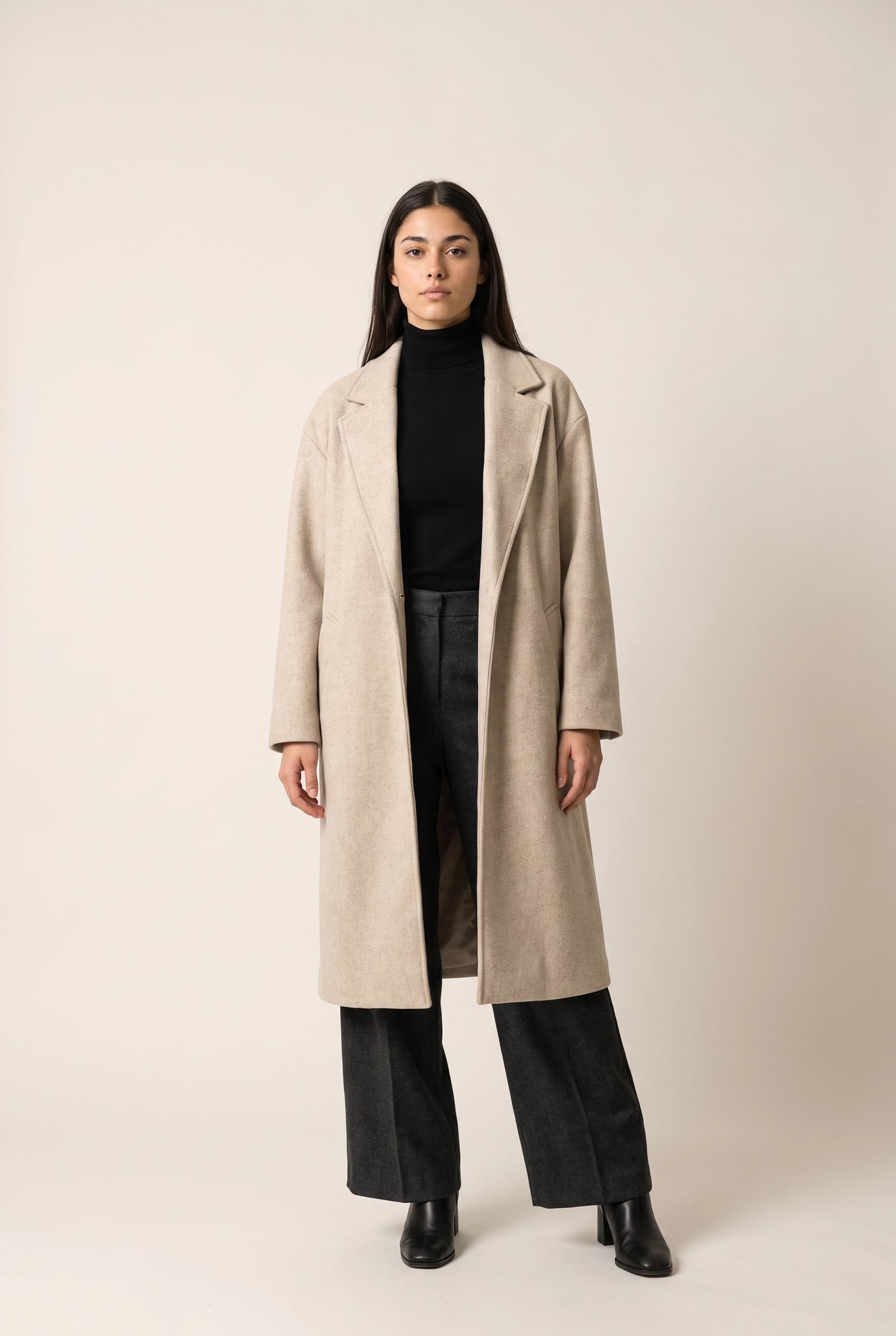
Hero full body
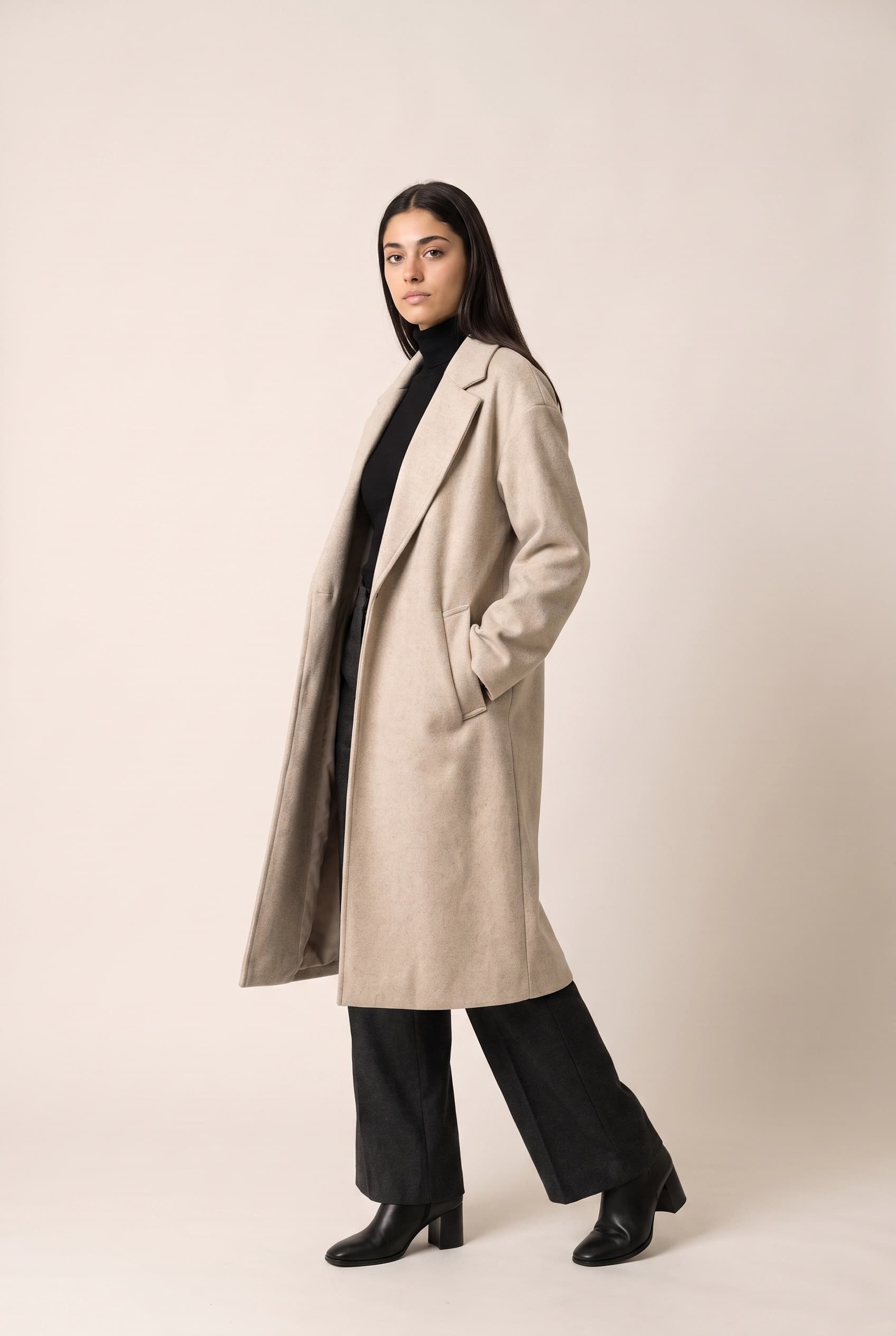
Three-quarter turn
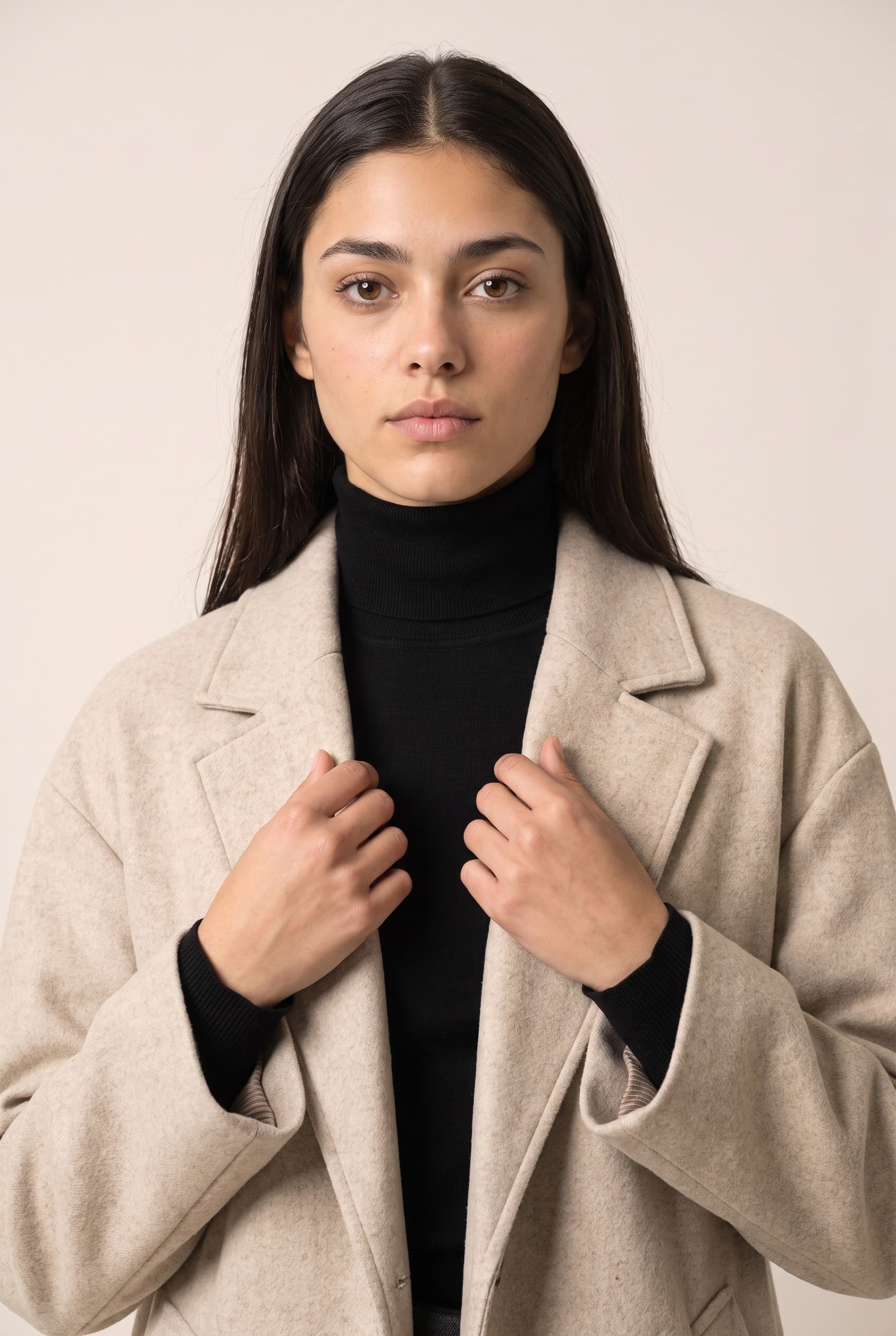
Detail crop
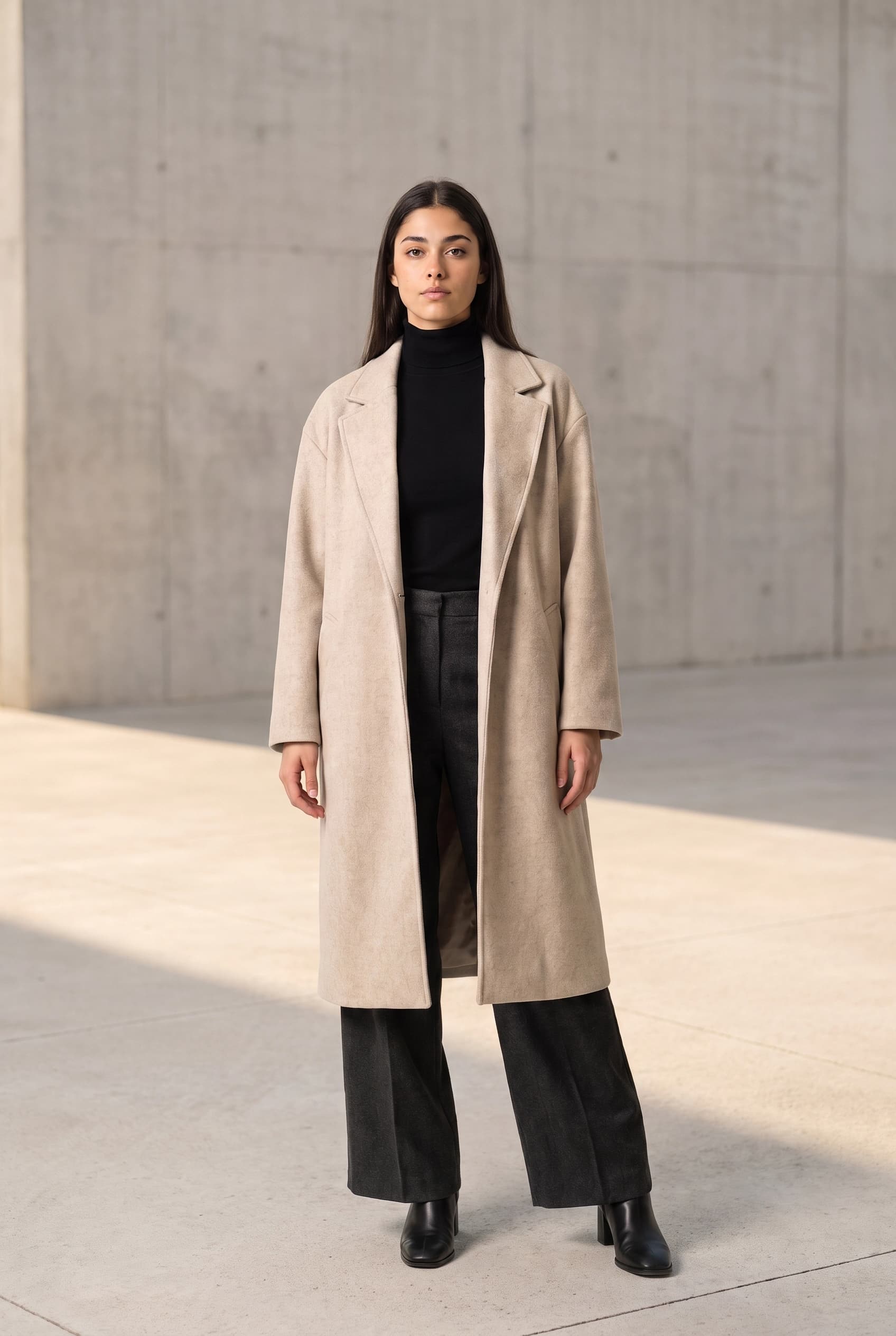
Environmental
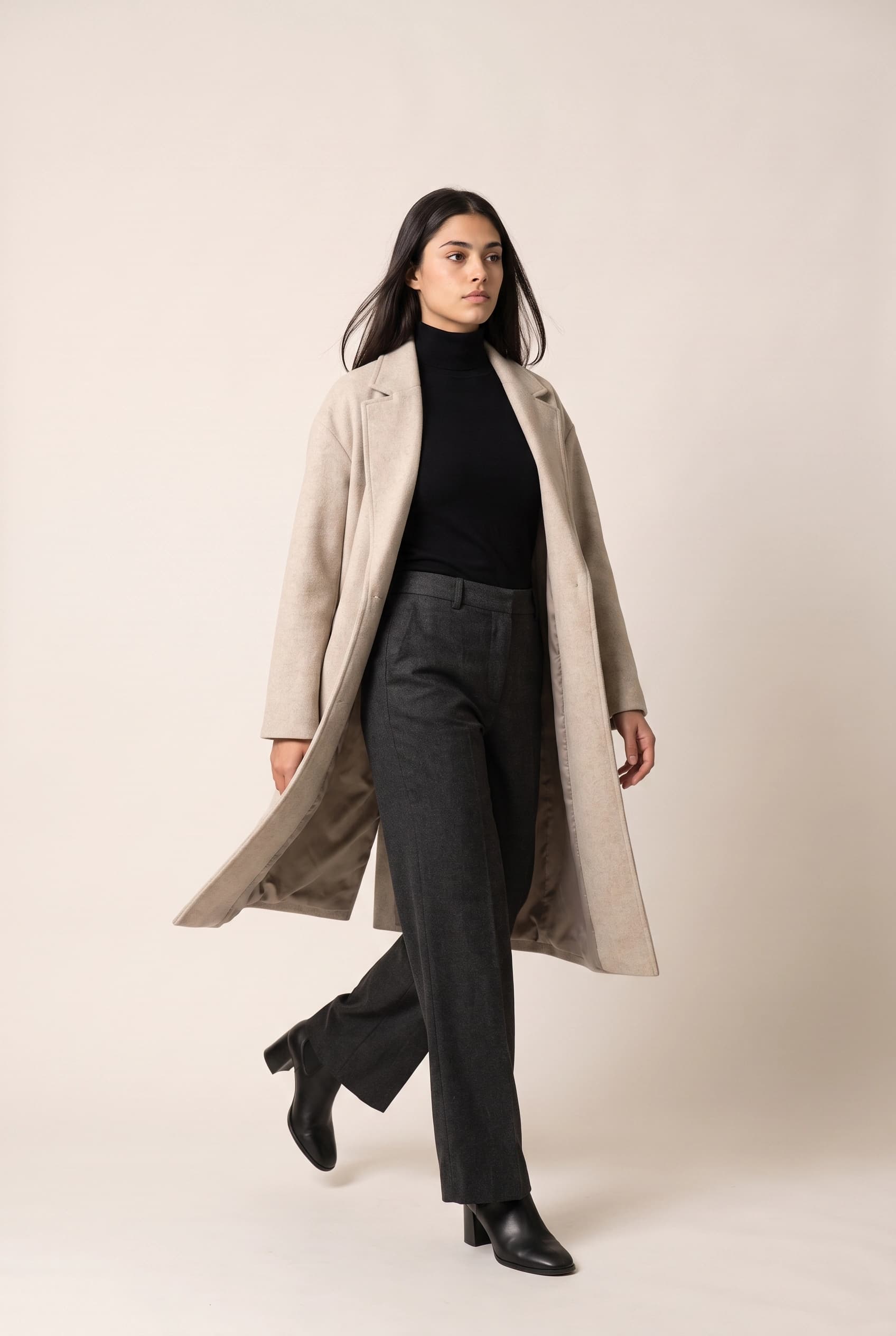
Movement
Two craft rules make the difference between a coherent set and a pile of unrelated images. Change one variable per generation: vary pose, or scene, or light, not all three at once, so you can see what broke when something breaks. And keep the aspect ratio consistent across the set, because full-body verticals crop differently at 3:4 than at 2:3, and mixed ratios make a grid look assembled from stock.
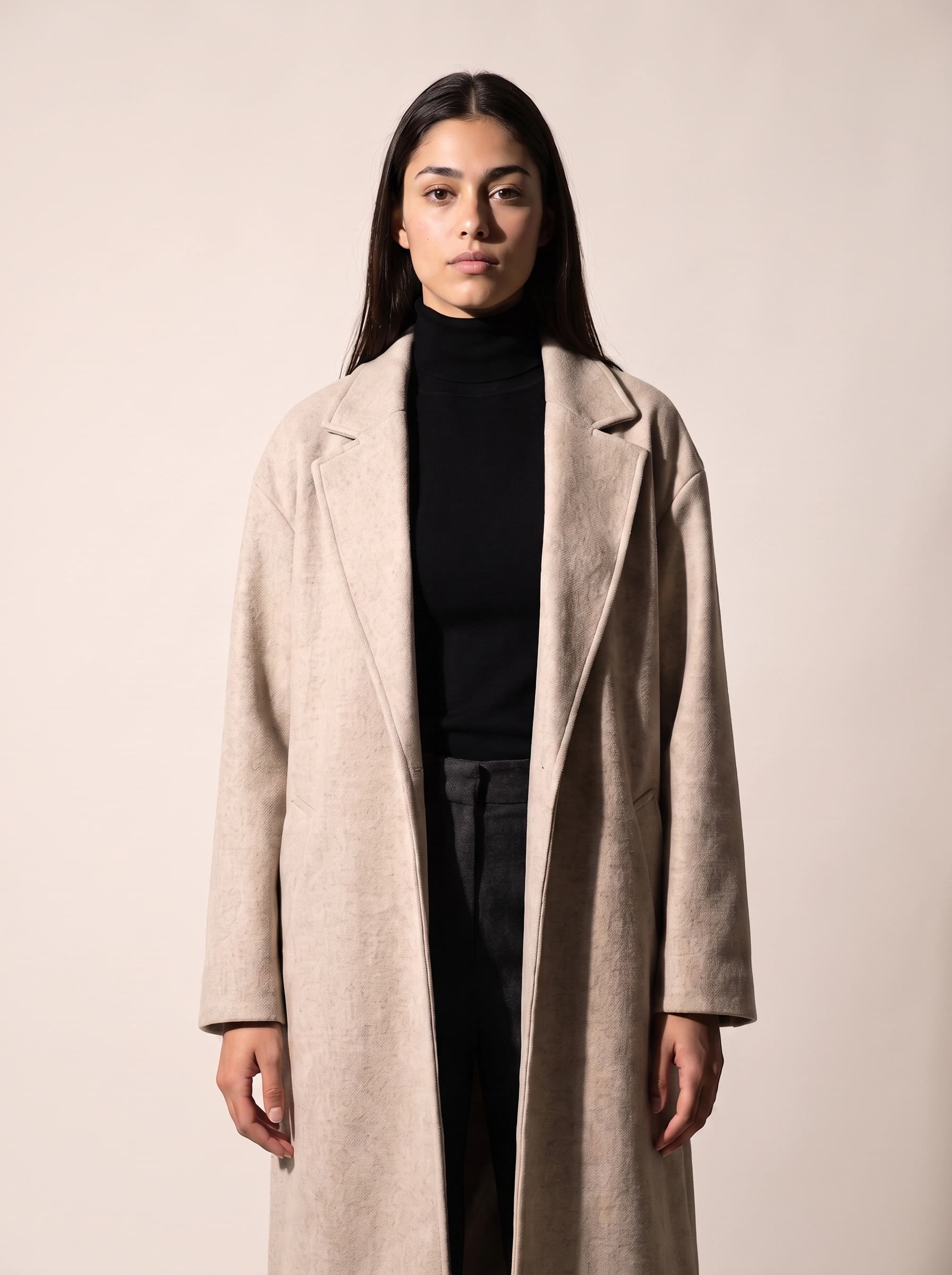
Flat frontal softbox
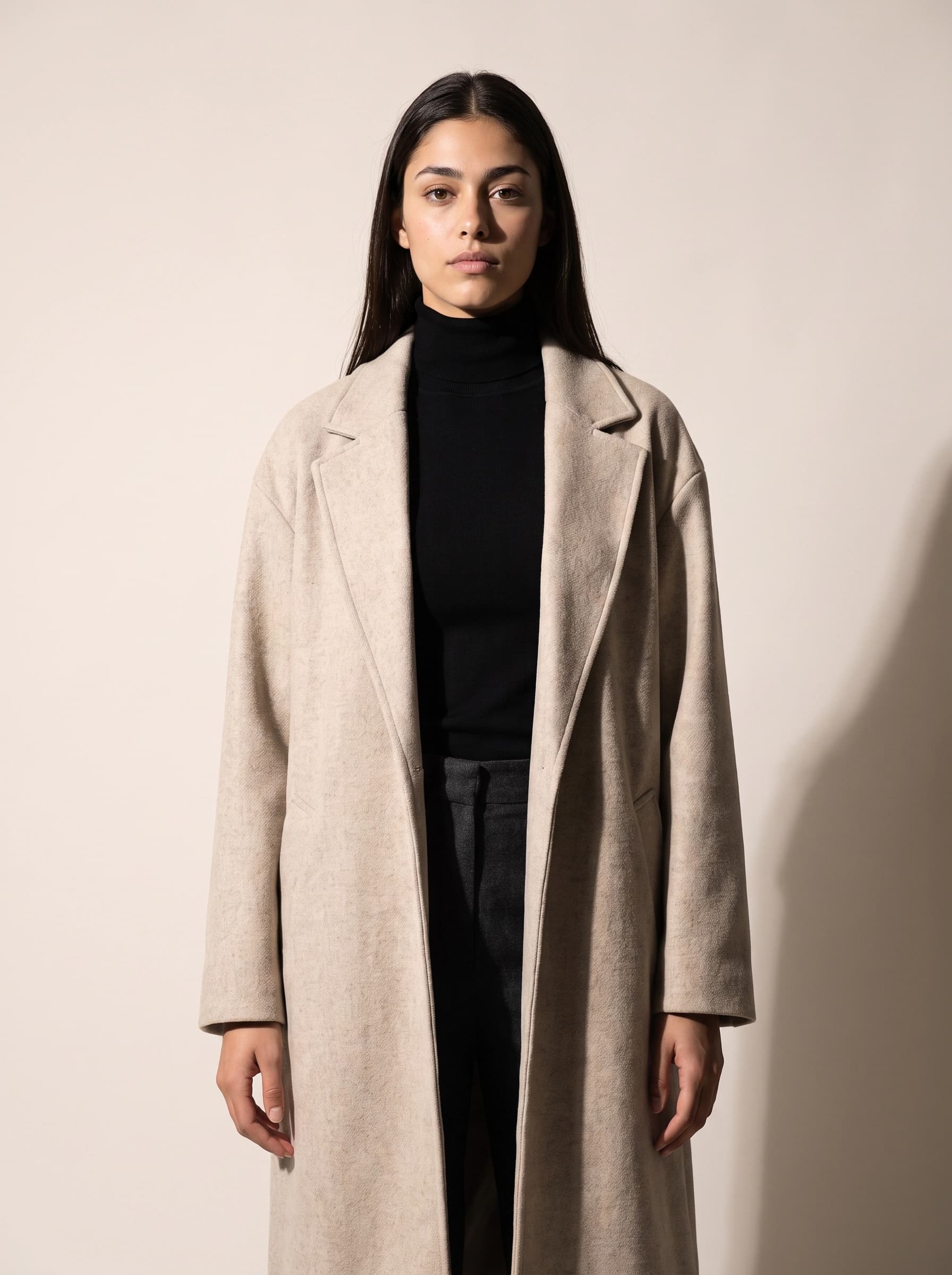
Hard side light
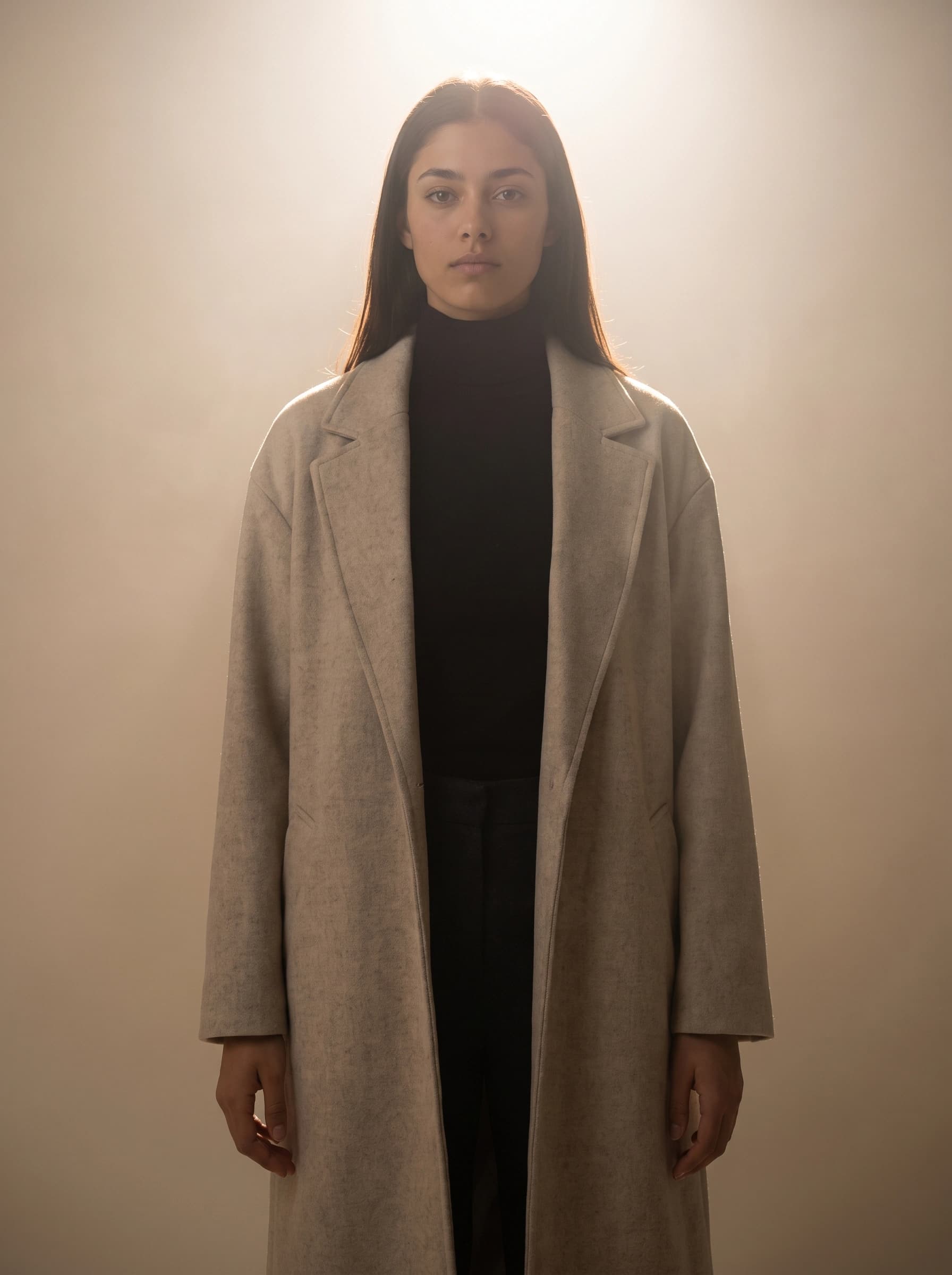
Backlit rim
Aspect ratio is framing, not a container. Full-body fashion frames want 3:4 on Grok Imagine and Nano Banana, or 2:3 on GPT Image, which is the tallest ratio that model offers in our registry. Cards and feeds that crop from the top need the head near the top of the frame and the feet inside it, or your hero shot gets guillotined by a grid.
Prompting AI models for clothing, model by model
Prompt dialect is model-specific, and using one model's dialect on another is the second most common reason fashion generations come out flat. The prompt skeleton is the same everywhere: artifact type and goal, then subject and scene, then composition, then style, light, and palette, then constraints and references. Most weak results are a buried subject under a pile of style language, not a missing detail. Describe the state you want positively, because negatives such as "no clutter" are unreliable on every model we ship.
| Model | Credits per image | Fashion job | Dialect |
|---|---|---|---|
| Grok Imagine | 2 | Glam, body-forward, editorial energy | Write like a photographer: full body, 85mm, golden hour, shallow depth of field. Front-load the subject in the first 20 words. Takes up to 3 reference images. |
| Nano Banana 2 | 4 | Lifestyle realism, reference-driven looks | Full declarative sentences. Strongest at editing from references. Give each reference one role and drop competing ones. |
| Nano Banana Pro | 8 at 1K, 10 at 2K, 16 at 4K | Character sheets, print output, layered compositions | Same dialect as NB2, with the only native above-1K output we ship. 2K is roughly a 6 inch print at 300 DPI. |
| FLUX.1 Kontext Pro | 4 | Surgical edits to an approved frame | Exactly one input image. Say "change only the jacket colour, keep the pose, face, and composition unchanged." |
| GPT Image 2 | 5 | Clean commercial layouts, legible copy | Name the artifact type first. Strongest at compositional intent, strictest content filter, and only 1:1, 3:2, and 2:3 ratios. |
Three fashion-specific notes on top of that table. Never depend on Grok Imagine for a legible logo or garment label, because text is its weakest area; route anything with readable type to Nano Banana or GPT Image. Say the background out loud, because "plain white background, edge to edge" is the difference between a clean e-commerce frame and an invented studio with a random border. And when you edit an approved frame, edit surgically: re-describing the whole scene is a regeneration, and it degrades everything that was already right.
Reference images are the lever most people underuse. You can attach your own uploads (up to 8 per request, PNG, JPEG, or WebP, 10 MB each) to steer fabric, colourway, styling, or a location mood. Understand exactly what this buys you: conditioning, not reproduction. A photo of your teal ribbed knit will push the render toward teal ribbed knitwear. It will not guarantee your knit. Per-model caps apply on top of the request cap, so FLUX Kontext takes one reference and Grok Imagine takes three.
When the job is the inverse, a specific garment you already have reproduced faithfully on a model, the virtual try-on tool wires that reference workflow into a form: attach the garment photo, describe or attach the wearer, and the print, colorway, and construction carry over instead of being re-invented.
Where AI clothing model shots fall apart
One fix per symptom, matched to what actually broke. Rewriting the whole prompt when one thing is wrong is how a good frame gets lost.
| Symptom | Fix |
|---|---|
| Face drifts between shots in the set | Generate against the character sheet reference; stop adding identity adjectives to the prompt |
| Pretty frame, wrong garment | Move the artifact type and garment to the front of the prompt and cut the style words |
| Correct but lifeless | Add exactly one style anchor, one lighting anchor, one texture anchor, no more |
| Hands, fingers, or fabric folds mangled | Regenerate rather than prompt around it, and prefer crops that keep hands relaxed or out of frame |
| Brand name or care label unreadable | Reroute to Nano Banana or GPT Image, settle the exact string first, and strip style language |
| Every shot is the same pose | Vary the shot list, not the identity block; assign each frame one action beat |
Two limits worth stating plainly rather than discovering at 40 credits in. Fabric behaviour is inferred, so heavy drape, sheer layers, and complex pleating are where the illusion breaks first, and a detail crop is usually more convincing than a full-length shot of a difficult garment. And no generator can represent fit on a real body, so anything you publish as sizing guidance still needs a photograph.
Using a real model's likeness needs written consent
If your AI fashion model is based on a real person, this is a legal question, not a workflow question. New York's Fashion Workers Act took effect on 19 June 2025 and requires models to give separate, explicit written consent for the use of a digital replica, specifying the scope, purpose, rate of pay, and length of time it will be used. A power of attorney cannot cover a digital replica, which closes the loophole where an agency signed on a model's behalf. The state's own Department of Labor FAQ is the primary source and is short enough to read in full.
The professional pattern already exists. H&M announced in March 2025 that it would create digital twins of 30 of its models, with the models owning the rights to their twin and being paid for each use as they would be for a campaign, and it published the first campaign images using them in July 2025. That is the shape of a defensible arrangement: named person, written terms, per-use compensation. Anything less than that, including scraping a model's portfolio to build a lookalike, is the thing the law was written about.
A fully synthetic model, invented rather than derived from any specific person, avoids this category of risk entirely, which is why it is the default we recommend. Design the face rather than sourcing it.
Disclosure: label AI fashion imagery where people will see it
The Guess campaign in Vogue's August 2025 issue is the cautionary example. The spread carried the line "Produced by Seraphinne Vallora on AI", so the disclosure technically existed, and the backlash happened anyway because almost nobody noticed it. Readers were not angry that AI was used; they were angry that they could not tell.
Regulation is moving the same direction. Article 50 of the EU AI Act applies from 2 August 2026 and requires anyone deploying AI to create deepfake imagery to disclose it clearly, at first exposure, in a form a person can actually perceive without special tools. The European Commission's official FAQ is explicit that a machine-readable marker from the provider is not enough on its own. Platform rules and the FTC angle are covered in AI influencer marketing and virtual influencer, so the short version here: put the label where the eye lands, not in six-point type at the gutter.
What an AI model photoshoot costs
Pricing is in credits, and the arithmetic is worth doing before you start. A character sheet is one generation, costing 8 credits on Nano Banana Pro (the premium tier used for sheets) or 2 on the standard tier. After that, each frame costs what its model costs: 2 credits on Grok Imagine, 4 on Nano Banana 2, 5 on GPT Image 2. A 25 frame lookbook, five outfits at five shots each, runs about 50 credits on Grok Imagine or 100 on Nano Banana 2, plus whatever you spend on rerolls. Post-processing is separate: upscaling costs 2 credits at 2x and 3 at 4x, and background removal costs 3.
New accounts get 15 free credits, plus 2 more per day while the balance is low, which is enough to build a character sheet and shoot a first outfit before deciding whether the model is right. The free tier runs at standard quality and does not include video, so Nano Banana Pro sheets and any motion work need a paid plan. Exact tier pricing is on the pricing page.
One note if you plan to animate a still: with a photorealistic person in the source image, Veo currently returns empty output and Seedance rejects the request outright, so Grok Video single-image animate is the only input-image path that reliably renders. Budget for that constraint rather than discovering it at the end of a campaign.
Start with one model, one outfit
The mistake that costs the most credits is generating a season before checking that the model works. Build one character sheet, approve it, shoot one outfit as a five-frame block, then look at the five images side by side. If the face holds and the garment reads, the workflow is sound and everything after it is repetition. If it drifts, fix the sheet, not the prompts. Once the model is right, the same identity carries a lookbook, a paid social set, and a whole feed, which is the point of building an AI fashion model instead of generating one-off images.
Ready to build one? Open the AI influencer generator, or see what a persona looks like in production in our roundup of AI Instagram models.