Guides
Character Turnaround: How to Make a Turnaround Sheet
Learn what a character turnaround is, how many views it needs, how to build a clear rotation sheet, and how AI can keep each angle on-model.
A character turnaround shows one character from several angles in a single, consistent pose. It is the reference that keeps a character on-model: the same proportions, volume, and design details whether they face you, turn to profile, or walk away. Artists and animation studios have leaned on turnarounds for decades. This guide covers what a turnaround is, how many views it needs, how to build one step by step, and how AI generation changes the workflow, because keeping one character identical across every angle is exactly the problem AI has quietly gotten good at.
What is a character turnaround?
A character turnaround (also called a turnaround sheet or model sheet) is a reference image that shows a single character rotated through a series of views while the pose stays fixed, usually a neutral standing stance or a T-pose. The point is not to show action. It is to define the character so precisely that anyone can draw, model, or generate them again and have it read as the same person or creature.
The turnaround is the blueprint. On a production, every animator, modeler, and illustrator works from it so the character does not drift from shot to shot. On a solo project it does the same job for future you: settle the design once, then stop re-deciding what the character looks like every time you draw them. This is the sheet at the center of a full character reference sheet, which usually adds expressions, hands, and color callouts around it.
How many frames for a character turnaround?
The standard turnaround is five views, taken as the character rotates a full 360 degrees:
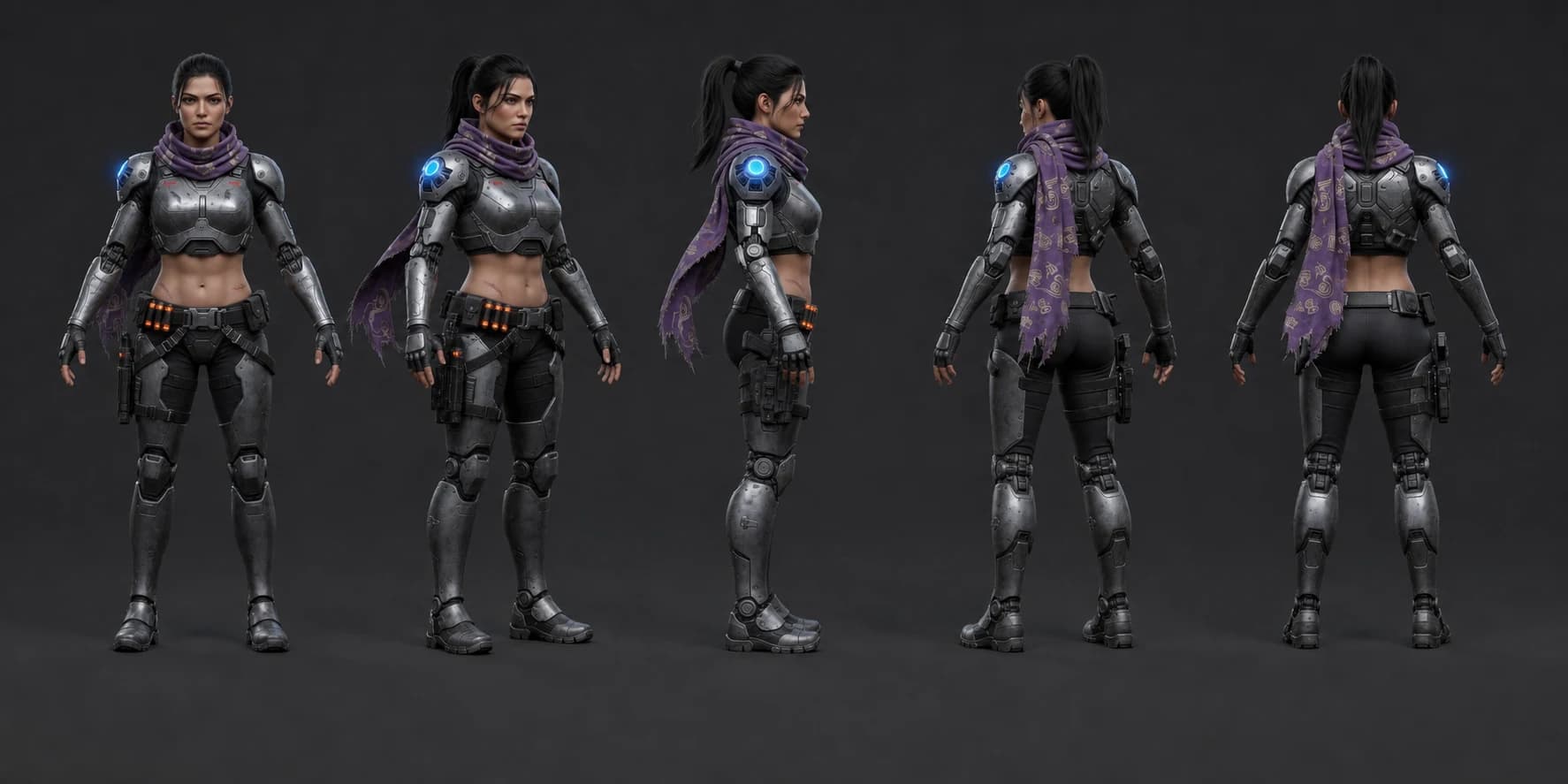
- Front — the character facing straight at the viewer.
- Three-quarter front — rotated roughly 45 degrees, the most useful drawing angle.
- Side (profile) — a clean 90-degree profile, where silhouette and proportion get locked.
- Three-quarter back — rotated past profile, showing how the back reads.
- Back — the character seen from directly behind.
Five is the working minimum, and it is enough for most illustration, comic, and concept work. Projects that need more precision add frames: an eight-view sheet mirrors the three-quarter and side angles for full symmetry, and 3D or game pipelines often add an overhead (top-down) and a worm's-eye (bottom-up) view because the camera can circle the character freely. If you are unsure, build the five and add only the angles a later shot actually demands. More frames is more consistency work, not automatically a better sheet.
How to do a character turnaround
Whether you draw it by hand or generate it, the sequence is the same. The order matters: lock big decisions before small ones, because a turnaround is only useful if every view agrees.
- Lock the design first. Settle the silhouette, proportions, costume, and defining features on a single front view before you rotate anything. Every other angle inherits from this, so a change here means redrawing five frames.
- Set consistent guide lines. Draw horizontal lines across all frames for the top of the head, eyes, chin, shoulders, waist, knees, and feet. These height markers are what stop the character from growing or shrinking as they turn. This single step catches most on-model errors.
- Block the front, then the profile. These two views define the character in two dimensions: the front sets width, the profile sets depth. Get them agreeing before you attempt the in-between angles.
- Fill in the three-quarter and back views. Rotate between your locked front and profile. Check every detail (a pocket, a strap, a horn) reads correctly and lands at the same height in each frame.
- Keep the pose and lighting identical. Same stance, same neutral lighting, same scale in every frame. The turnaround exists to isolate the rotation, so nothing else should change.
- Review the sheet side by side. Line the frames up and look for drift: a jaw that widens, a costume detail that appears in one view and vanishes in the next. Fix it here, before the sheet becomes the reference everything else is built on.
Where AI changes the workflow
The hard, tedious part of a turnaround has always been consistency: drawing the same face and the same costume five or more times without drift. That is precisely what modern AI character tools are built to hold. Instead of redrawing the character at each angle, you define them once and generate the rotation, keeping the design fixed while only the viewing angle changes.
General image generators can approximate this. You can hand a tool like Midjourney or ChatGPT a reference image and ask for new angles, and it gets you close. But those models are stateless underneath: each render re-derives the character from your prompt and whatever reference is attached, so the face and costume slip over a series of angles. Getting a clean five-view turnaround out of them takes reference wrangling and a lot of rerolls. Our guide to consistent AI characters breaks down why single-prompt consistency fails and which techniques actually hold an identity.
The reliable approach is a tool that stores the character's identity and conditions every generation on it. That is what the AI concept art generator in Dream Pixel Forge is built around: you settle the design once, and the same locked character renders across angles, poses, and scenes without turning into someone else. The turnaround stops being five separate consistency battles and becomes one design decision plus a rotation.
Turning a turnaround into a working character
A turnaround is a starting point, not the finish line. Once the design is locked across angles, the real payoff is range: the same character in new poses, outfits, and settings without losing their identity. This is where a locked-identity workflow earns its keep. Change one variable per image (a pose, a scene, an outfit), keep the character fixed, and build up a body of work that all reads as one person.
In Dream Pixel Forge the flow is: define the character (from a description, a preset, or up to five reference photos), approve a character sheet that becomes the identity anchor, then generate freely against it. Approval locks the look, so every later image conditions on the same design automatically, no re-uploading references or juggling seeds. For stylized and full-body work specifically, the game character generator is tuned for concept art, and pairing it with a fixed identity keeps a hero recognizable across a whole set of angles and concepts.
Try it now
Free to try, no account needed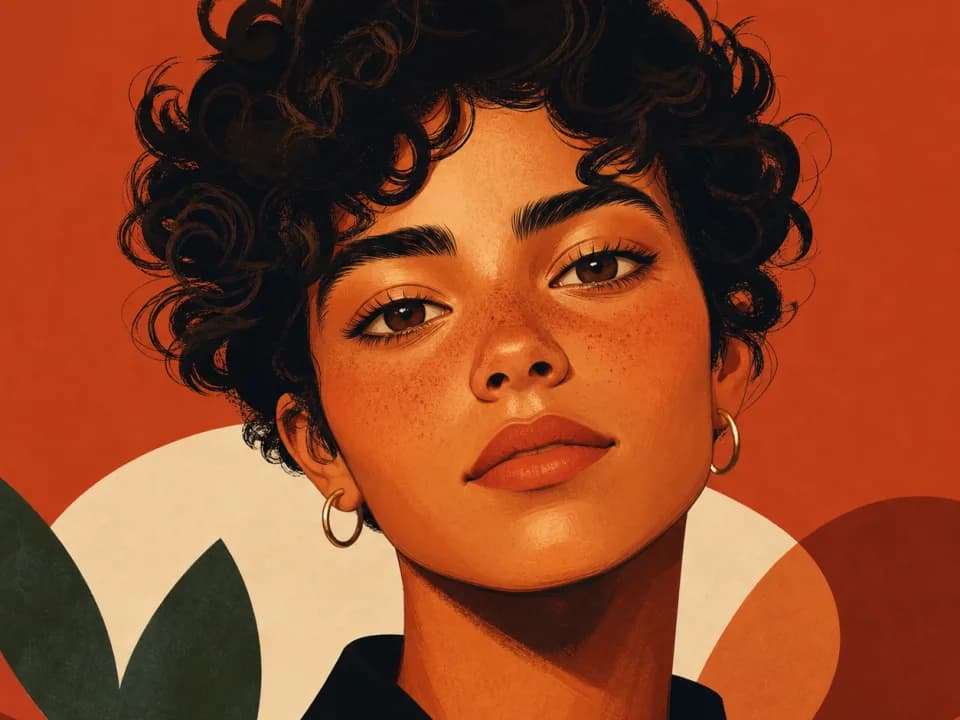 Example output
Your generated image will replace this example.
What is an example of a character sketch?
A character sketch is the loose, exploratory drawing that comes before a turnaround: a quick pass to try out a silhouette, a costume idea, or an expression without committing to it. For example, an artist designing a bounty hunter might sketch a dozen rough thumbnails, tall and lean versus short and broad, before picking one to develop. The sketch explores; the turnaround commits. Once a sketch is chosen and cleaned up, it becomes the front view you build the rest of the turnaround around, which is why the two steps are often confused. Sketching is where you decide who the character is. The turnaround is where you make that decision reproducible.
Start with one locked design
A good turnaround is the difference between a character you can only draw once and a character you can put in a hundred images. The old way was to fight for that consistency by hand, five frames at a time. The faster way is to lock the design once and let the tool hold it while you rotate. Build your character in the AI character generator, and see the pricing page for how credits work. Settle the design first. Everything after it inherits from that one decision.