Guides
Facebook Ad Creative: Build a Product Campaign Test Set
Turn a real product brief into Facebook ad creative: three concept directions, controlled variations, a launch checklist, and a practical test log.
Facebook ad creative is the image or video, copy, headline, and call to action that present your offer. For a product campaign, start with a small set of distinct reasons to buy, then turn the most promising idea into controlled variations. A dozen backgrounds around the same vague message gives you a dozen files, but very little to learn.
This workflow is for a seller with a real product, a destination page, and a campaign to launch. You will leave with a brief, a three-concept creative set, a quality checklist, and a record of what to change next. The running-shoe examples below are hypothetical creative directions, not results from a live campaign.
Write the campaign brief before generating artwork
Open a document and complete the following fields. If you cannot answer one, resolve it before buying production time or generating more images.
- Product: the exact SKU, color, and version you are advertising, with approved reference photographs.
- Buyer and situation: who needs it and what they are trying to do. For example, someone looking for a shoe to wear on an ordinary morning run.
- Offer: the actual price or promotion, its conditions, and the matching landing page.
- Reason to believe: a demonstrable feature, an approved factual claim, or a genuine customer quote you have permission to use.
- Desired action: buy this product, browse this collection, or request a sample. Choose one.
- Decision metric: the campaign outcome that would justify continuing, and the maximum spend you can afford to risk learning.
Keep the brief beside the output sheet. An attractive image that changes the sole, invents a sale, or shows the wrong color has failed the assignment. Fix the product and offer before debating whether the lighting feels premium.
Build three concepts that make different arguments
For an initial exploration, try three concepts with different jobs. Three is a manageable starting point for this example, not a universal testing requirement. If your budget can support only a meaningful comparison of two, produce two.
| Concept | Visual direction | Question it explores |
|---|---|---|
| Product clarity | Large side view on a simple brand-color background | Does a clear view of the product give shoppers enough reason to investigate? |
| Use occasion | The shoe in an everyday running scene | Does showing where it fits into the buyer's routine make the offer more relevant? |
| Feature detail | A close view of a real construction detail, with an accurate annotation added afterward | Does explaining a specific feature answer a purchase objection? |
Keep the same product, destination, and offer across these concepts. The first comparison explores different creative arguments; it does not isolate a single visual ingredient. Once you choose an argument to refine, narrow the next comparison to one planned change.
A competitor swipe file can help you identify familiar visual formats. Use Meta's Ad Library to investigate examples, then write your own brief. Meta describes the library as a searchable collection of active ads. Seeing a creative there is not evidence that its advertiser made a profit. Do not turn a visible ad into an invented case study.
Generate the imagery, then finish the ad layout
Use the ad creative variations tool for product-hero, lifestyle, graphic, and other visual directions. Start with one approved concept, review it, then request the next direction. In Studio, give the agent the product references and brief rather than asking for an unspecified "winning Facebook ad."
A useful brief might read: "Create a product-hero direction for the running shoe in my references. Use a coral and cream palette, show the complete shoe, and leave the upper third clear for a headline. Preserve the product shape and color. Do not add a price, review, endorsement, or performance claim."
Reference images guide a generation; they do not establish that every detail is correct. Compare each result with the source photograph. When exact product pixels matter, use a cutout of the real photograph in your layout editor and generate only the surrounding scene. Our AI product photography guide covers the distinction between a product reference and a faithful listing image.
Add the approved headline, logo, offer terms, and CTA in your layout tool after choosing the artwork. Keeping copy separate lets you change the message without asking a model to redraw the product. It also makes it easier to spot a wrong price or missing qualification.
Try it now
Free to try, no account needed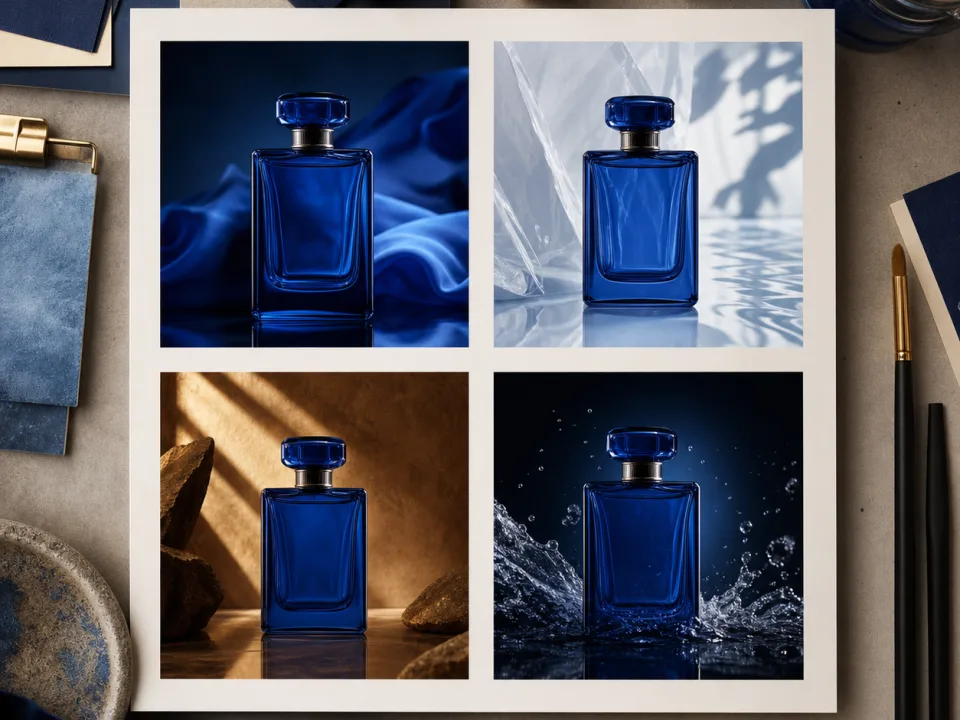 Example output
Your generated image will replace this example.
Turn one concept into a useful comparison
Suppose the product-hero direction is ready. Create a second version with one deliberate change, such as a different headline. Keep the image, offer, landing page, and layout constant. Write down the hypothesis before launching: "A headline that names the use occasion may produce more qualified product visits than a generic collection headline."
Use descriptive file names such as shoe-hero-routine-v1 and shoe-hero-collection-v1. Keep a small log with the creative ID, hypothesis, changed element, destination, start date, spend, and outcome. A folder full of files named "final" makes the next production decision harder.
Distinguish campaign exploration from a controlled experiment. Putting several ads into delivery is useful operationally, but unequal spend or different exposure can make a simple ranking misleading. If you need a causal comparison, agree on the experiment setup with your media buyer before launch. Do not describe ordinary delivery results as proof that one isolated headline caused a lift.
Avoid a universal "stop after three days" or "kill after a fixed number of clicks" rule. Decide the spend limit, outcome, and review point using your own purchase volume and economics. When there is too little evidence, record the outcome as inconclusive instead of manufacturing a winner.
Check the finished creative before paying for delivery
- Product fidelity: compare color, shape, materials, count, packaging, and label with the actual SKU. Reject unsupported details.
- Offer accuracy: check price, deadline, availability, exclusions, and destination. The ad and landing page should tell the same story.
- Readable layout: view the export at phone size. Make sure the product, headline, and action remain legible.
- Placement preview: inspect each selected placement in the ad account. Check crops, interface overlays, and whether important content gets hidden. Use the Facebook ad size guide to prepare exports and confirm current requirements in Meta's Ads Guide.
- Evidence and permissions: verify claims, approved logos, image rights, and genuine testimonials. Do not generate customer proof.
- Tracking and destination: open the final URL on a phone, confirm the advertised product is purchasable, and check that your reporting can distinguish the creative versions.
The testimonial check matters even when the portrait looks believable. The FTC's consumer reviews and testimonials guidance explains that reviews featured in advertising become testimonials, and that fake or false underlying testimonials can violate its rule. A synthetic person is not a substitute for a customer who actually used the product.
Use campaign results to brief the next creative
Read results against the decision you wrote down. For a purchase campaign, clicks are diagnostic; they do not by themselves establish profitable sales. Check whether the creative attracted qualified visits, whether those visitors bought, and whether the resulting acquisition cost fits your economics.
Separate the next action from the interpretation. If an ad attracts clicks but few purchases, inspect product-page continuity and the offer before ordering more of the same artwork. If results are too sparse to interpret, consolidate the next comparison instead of spreading the budget over more variants. If a concept appears promising, refine one ingredient and keep the previous version as a reference.
Build the next production request from that evidence: "Keep the product-hero composition and approved offer. Make two alternatives to the background while preserving headline space." That is a concrete job for an AI ad generator. It connects production to a campaign decision without promising that generating more assets will improve returns.
Dream Pixel Forge creates the artwork; your ad account handles campaign setup, delivery, and measurement. Evaluate the visuals with trial credits, then check current pricing and commercial-use terms before publishing business creative. Keep your source files, approved copy, and test log so the next campaign starts from what you learned.