Guides
Seedance Prompts: A Working Guide to Seedance 2.0 and 2.5 (2026)
Seedance prompts are shot descriptions, not picture descriptions. The six-slot formula, copy-paste prompts, @Image reference tags, and what Seedance 2.5 changes.
Seedance prompts are shot descriptions, not picture descriptions. The ones that work name one subject, one action, one camera move, and the sound you want, in roughly that order, in well under a hundred words. Everything past that is decoration, and past a certain point it actively hurts: extra style adjectives and a second action in the same clip are the two most common reasons a Seedance 2.0 render comes back rushed or mushy.
This guide gives you the formula, six prompts you can copy, the reference-tagging syntax, the real-person input block that will stop you cold on your first persona clip, and what a clip actually costs. It is written from running Seedance 2.0 in production alongside Veo 3.1 and Grok video, and it covers where Seedance is the wrong pick.
First, which Seedance: 2.5 launched July 31, 2026
ByteDance launched Seedance 2.5 on July 31, 2026, and it changes the shape of the job rather than the shape of the prompt. Four things are new. Single-pass length goes up to 30 seconds, where 2.0 caps at 15, and a multi-round extension flow lets you keep building on a clip instead of regenerating it. The reference budget jumps to 50 inputs in one pass, 30 images plus 10 videos plus 10 audio, against 2.0's 9 images plus 3 videos plus 3 audio. Audio and video are generated jointly, which ByteDance says minimizes the spurious subtitles and unrequested background music that joint-model pipelines produce. And editing is addressable at the timestamp level, so you can change one moment instead of rerolling the take.
The catch is access. Seedance 2.5 is in ByteDance's consumer apps only for now, Jimeng, Doubao, and Dreamina, with API availability through BytePlus and Volcano Engine listed as coming soon. Seedance 2.0 remains the version you can call from an API, including here, so everything below is written for 2.0 and still applies to it. The six-slot formula and the one-beat rule are prompt-craft rules, not version features, and nothing in the 2.5 announcement suggests they stop being true. Our full breakdown is in Seedance 2.5.
How to write a prompt for Seedance
ByteDance's own prompt guidance describes a long formula (subject, scene, action, camera, timing, transitions, audio, style). In practice, for the 5 to 10 second clips most people generate, six slots carry all the weight:
- Subject. Who or what is in frame, described concretely enough to fix an appearance. “A man in his thirties, close-cropped beard, navy hoodie” beats “a man.”
- One action. A single beat. “He lifts the mug and takes a sip.” Not “he unlocks the door, drops his bag, feeds the cat, and opens the fridge.”
- Environment. The place and the light. “A small kitchen, late-morning sun through a window on the left.”
- One camera move. Name it once:
slow push-in,static locked-off shot,handheld follow,slow orbit. Two competing camera instructions make the model over-direct and the frame drifts. - Mood or grade (the overall color treatment). One clause, not a stack. “Warm, soft contrast, film grain.”
- Sound. Seedance generates audio natively, and it takes direction. “Ambient street noise, no music” is a real instruction, not filler.
The single highest-leverage rule is the second one. A 5 to 10 second clip holds exactly one beat. Chain three actions and the model compresses all of them into the same window, which is what produces the fast-forward morphing look people blame on the model. If you need three beats, that is three clips.
The order matters too, because the opening words of the prompt carry the most weight. Lead with the subject and the action. A prompt that opens with four sentences of cinematic mood before naming who is on screen spends its budget in the wrong place.
Seedance 2.0 prompts you can copy
Six prompts covering the shots people actually need. Each one is a complete prompt: paste it, change the nouns, generate. They assume no source image, so they are text-to-video. If you are animating a still you already approved, cut everything except the action, camera, and sound (more on that below). One of them opens with a [Image 1] tag: that bracket form is what the Dream Pixel Forge pipeline reads, while ByteDance's own API expects @Image1. The section below covers both.
Four of the six were then run through Seedance 2.0 exactly as printed, and the clip each one produced sits directly under it. None was regenerated for a better take, so every clip is the first render of the prompt as written. Turn sound on — the sound slot is a third of what these prompts control, and a muted clip hides it.
Talking-head UGC hook
A man in his thirties, close-cropped beard, navy hoodie, sitting on the open tailgate of a pickup in a gravel lot at golden hour, phone propped against a toolbox in front of him. He leans toward the lens and says with a half-laugh: “Nobody warned me about week two.” Chest-up framing, slight handheld drift, low sun raking in from behind him. Wind, gravel underfoot, no music.
Product hero turn
A matte-black skincare bottle standing on a wet slate slab. Slow 90-degree orbit around the bottle, the label staying square to camera. Studio lighting from the upper left, deep shadow behind, water beading on the slate. Clean commercial grade, shallow depth of field. Low ambient hum, a single soft water drip.
Cinematic establishing shot
A lone hiker in a red shell jacket standing at the edge of a pine ridge at dawn, fog filling the valley below. Slow push-in from behind at shoulder height. Cold blue-gray light with a warm rim from the rising sun, gentle film grain. Wind across the microphone, distant birds, no music.
Lifestyle b-roll cutaway
Close on hands pouring oat milk into a glass of iced coffee on a marble counter. Static locked-off shot, the pour filling the lower third of the frame. Bright diffused daylight, crisp, minimal shadow. The sound of pouring liquid and ice shifting in the glass.
Reference-locked character clip
[Image 1] walks toward the camera along a rainy city street at night and glances up at the neon sign above her. Handheld follow at chest height, holding her in the center third. Wet asphalt reflections, magenta and cyan neon, cool grade. Rain on pavement, distant traffic, no dialogue.
Texture and food macro
Macro shot of a knife cutting into a still-warm sourdough loaf, steam rising from the crumb. Slow push-in on the cut face. Low warm side light, deep shadows, rich contrast. The crackle of crust and the sound of the blade, no music.
Notice what none of them do: no “8K, ultra realistic, masterpiece, best quality” tail. Quality tags are a habit carried over from older image models, and on a video model they mostly waste the beginning of the prompt. The same principle holds across the current generation: plain declarative description beats a tag stack on Nano Banana and GPT Image too.
Try it now
Free to try, no account needed Example output
Your generated image will replace this example.
Seedance reference images and reference tagging
Two tagging syntaxes are in circulation: ByteDance's own prompt guidance uses an @ mention system, @Image1 through @Image9, while the Dream Pixel Forge pipeline reads bracket tags, [Image 1] and [Image 2], which is what the reference-locked example above uses. Type whichever one the surface in front of you expects. The load-bearing part is not the punctuation, it is that you assign each reference a role: @Image1 as the character, @Image2 for the environment, @Image3 for the color grade. Name the reference, then say what it controls.
Reference handling is the reason to pick Seedance over other video models. Seedance 2.0 accepts up to nine reference images in a single request (plus reference videos and audio on ByteDance's own surface, with a combined file cap), which is more visual conditioning than Veo or Grok will take.
Two things we see consistently in production. First, untagged references still condition the output, but they condition it vaguely; the model averages them instead of casting them. Second, three or four focused references beat nine loosely related ones. Multiple product angles or a tightly related environment and grade set can provide strong control; nine unrelated references become a muddle. Photoreal-person references are a separate provider-policy case covered below.
The real-person block that stops most persona workflows
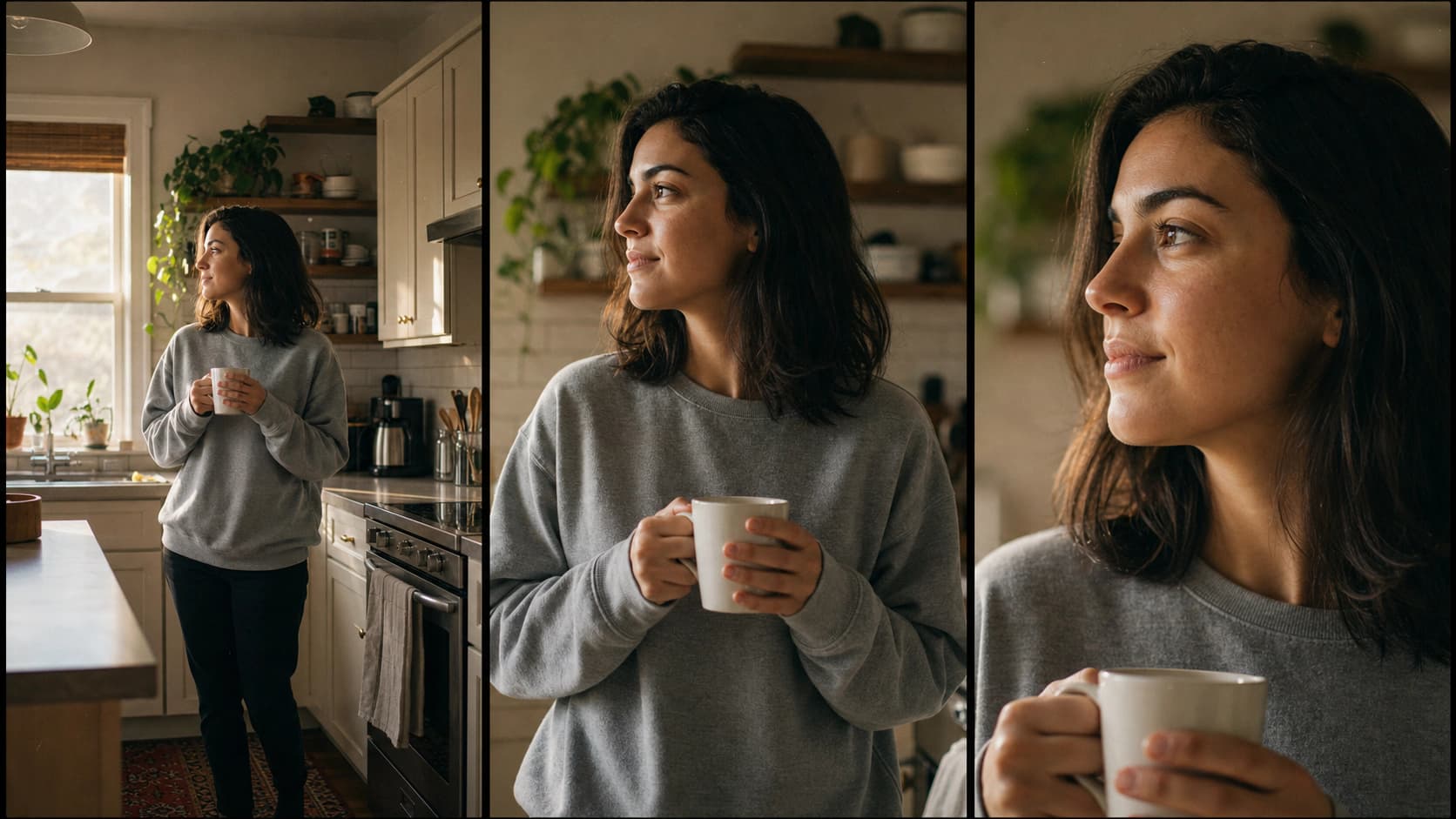
Seedance 2.0 runs a face classifier on every input image, and it rejects anything that looks like a photograph of a real person. The error text is blunt: the request failed because the input image may contain a real person. It fires whether the image arrives as an image-to-video source frame or as a tagged reference, and it fires on photoreal AI-generated faces too, because the classifier is judging how real the picture looks, not where it came from.
That is a policy, not a bug, and every major video model has some version of it. But it has a concrete consequence for anyone building a consistent AI persona: the model with the best reference handling is also the model most likely to refuse your persona's character sheet. Stylized or clearly illustrated subjects pass. Photoreal ones frequently do not.
Dream Pixel Forge enforces this before charging credits. Automatic routing can select Grok Video when one photoreal persona image fits its supported input shape; an explicit Seedance choice is refused with that guidance instead of silently substituted. The practical rule: use Seedance references for stylized characters, products, environments, and grade, and use Grok's single-image path for a locked photoreal persona.
Prompting audio and dialogue
Seedance generates audio natively, which means the sound is promptable and the prompt is where you control it. Three patterns are worth internalizing.
- Name the ambience, and name the absence. “Room tone and faint street noise, no music” reliably beats silence about it. Left unspecified, models tend to score the clip.
- Dialogue is an exact quoted line plus a tone. Write
he says flatly: “we are out of stock again”. Never write “he complains about the inventory,” which gives the model a topic and gets you mumbled filler. - Keep the line short. A 5 second clip holds roughly one sentence spoken at a natural pace. Cramming two lines into 5 seconds produces the same rushing problem as chaining actions.
One honest limit: this is model-generated speech, not a voice you chose and not a script read verbatim. It is excellent for hooks and ambience. If you need exact words in an exact voice, generate the clip silent and lay a voiceover over it in the edit.
When to prompt Seedance and when to prompt something else
Prompt craft only helps once the job is on the right model. Dream Pixel Forge runs Seedance 2.0 and Seedance 2.0 Fast next to Google Veo 3.1 and xAI Grok Imagine Video in one studio, and the routing rules are simple enough to state in a table.
| Job | Model | Why |
|---|---|---|
| Identity or product held steady across a clip | Seedance 2.0 | Up to nine tagged references, the strongest conditioning of the three |
| Cheap iteration, hook testing, volume | Seedance 2.0 Fast | 20 credits for a 5 second clip; find the winner before you spend |
| The hero clip, cinematic fidelity, best audio | Veo 3.1 | Highest quality and synced audio, and a different prompt dialect |
| Animating a photoreal single still | Grok Imagine Video | Its input path accepts source frames Seedance and Veo refuse |
The dialects are not interchangeable, which is the trap when you copy a prompt from one guide into another model. Veo takes plain scene description with no token syntax at all, covered in our Veo 3 prompt guide. Grok animates a single source image and has no tagging syntax at all, covered in the Grok Imagine prompt guide. Only Seedance uses numbered reference tags.
One more routing rule that saves the most money: if you already have a still you like, do not write a text-to-video prompt at all. Feed the still and describe motion only. The frame has already settled composition, wardrobe, and grade, so re-describing them just fights the source image. That workflow is the subject of our guide to image to video AI, and it is the same reason AI UGC video campaigns lock a persona before generating a single clip.
What a Seedance clip costs
In Dream Pixel Forge, Seedance clips run 5 or 10 seconds at 480p or 720p, in 16:9 or 9:16, and credits are charged per second of output. Seedance 2.0 costs 5 credits a second at 480p and 10 at 720p, so a 5 second draft is 25 credits and a 10 second 720p clip is 100. Seedance 2.0 Fast is 4 and 8 credits a second, putting a 5 second draft at 20 credits.
The useful detail: on Seedance, audio is free. The model is billed on pixels, not on whether it produced sound, so a clip with audio and a silent clip cost exactly the same. That is not true on Veo, where turning audio off roughly halves the bill. If you are iterating on Seedance, leave audio on; you are not paying for it.
Video needs a paid plan. Starter at 12 dollars a month includes 300 credits and access to the standard video tier, which is where Seedance lives, so Seedance is the video model you get on the cheapest paid plan. Pro at 29 dollars adds the premium tier (Veo 3.1) with 1,000 credits, and Studio at 79 dollars carries 3,000. The free tier is image-only. Current numbers are on the pricing page.
Is Seedance 2.0 good, and what about 2.5?
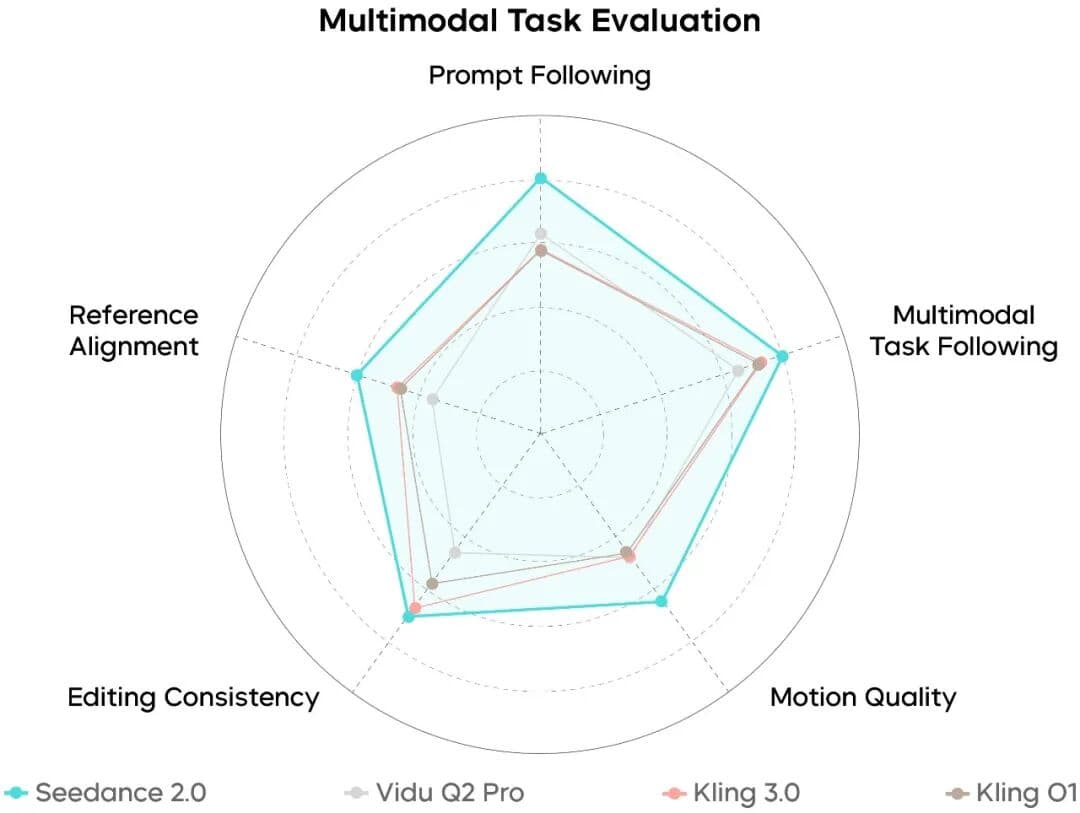
Seedance 2.0 shipped in February 2026 and reached the Volcengine Ark API that April. It is genuinely strong at motion coherence and at holding a subject across a shot, and its reference system is the most controllable of the models we route to. It is not the top of the field on raw cinematic fidelity or audio, where Veo 3.1 still wins, and it is the strictest of the three about real-person inputs.
Seedance 2.5 launched on July 31, 2026 with 30 second single-pass generation, multi-round extension, a 50-input reference budget, joint audio-video generation, and timestamp-level editing. It is in Jimeng, Doubao, and Dreamina today, with BytePlus and Volcano Engine API access still listed as coming soon, so 2.0 is what most tools, including this one, actually run. There is no reason to expect the formula or the one-beat rule to change, and the details are in our Seedance 2.5 write-up.
Start with the fast model
The workflow that wastes the least: write the prompt with the six slots, generate at 480p on Seedance 2.0 Fast for 20 credits, and only move up to 720p or the standard model once the beat and the framing are right. Prompt iteration is cheap at that tier and expensive at the top of it.
If you want to feel the prompt-to-frame loop before spending video credits, the freeform generator gets you a still in seconds, and the AI influencer generator builds the consistent persona that reference tagging exists to keep on model.