Guides
AI UGC Video: Make AI Influencer Ads With One Persona (2026)
AI UGC video is AI-generated creator-style ad footage: talking-head selfies, product demos, and b-roll. Make it with one consistent AI persona across every clip.
AI UGC video is short-form, creator-style ad footage generated by AI instead of filmed: talking-head selfie clips, product demos, and lifestyle b-roll. The version that works for paid ads uses one consistent AI persona across every clip, so the same face fronts your whole campaign.
This guide covers what AI UGC video is, why performance marketers use it, how to produce it with a persona whose identity stays fixed across clips, what it costs, and the disclosure rules you cannot skip. It uses Dream Pixel Forge as the reference workflow and is honest about what the current tooling does and does not do.
What is AI UGC video?
AI UGC video generates casual, first-person ad footage from a description instead of hiring a creator to film it. UGC (user-generated content) is the format that reads as a real customer talking to their phone, and it dominates direct-response ads on TikTok, Instagram Reels, and YouTube Shorts.
There are two ways to produce it, and they are not equally useful:
- One-off clips. You generate a video from a prompt or a single image and take whatever face the model invents. Fine for a test, useless for a campaign, because the next clip is a different person.
- Persona-consistent clips. You author one AI creator with a locked identity, then generate every clip against that same identity. The same face fronts ad one and ad fifty. This is what makes AI UGC a repeatable ad channel instead of a novelty.
The second approach is the point. A recognizable, repeatable spokesperson is a brand asset. A folder of unrelated AI faces is not.
Why marketers use AI UGC video
The appeal is unit economics, not novelty. Traditional UGC means sourcing creators, briefing them, shipping product, and paying per video, often 100 to 300 dollars a clip. That cost makes wide creative testing expensive, and creative testing is where most paid-social performance comes from.
AI UGC changes the shape of that cost:
- Volume for testing. You can generate a dozen hook variations of the same script and face in one sitting, ship them all, and let the ad account pick the winner. An extra variation costs credits, not another creator booking.
- A consistent spokesperson. When one persona fronts every ad, viewers start to recognize the face, which compounds over a campaign the way a human brand ambassador does.
- No scheduling. A new angle is a generation, not a production day. You iterate on the losing ad the same afternoon you read the results.
Be clear about what this does not fix. AI UGC lowers the cost of producing creative. It does not write a good hook, pick the right offer, or buy media well. The teams that win with it treat cheap, consistent, on-brand footage as more shots on goal, not as a substitute for a real creative strategy.
How to make an AI UGC video with a consistent persona
The workflow in Dream Pixel Forge is built around a persona so the identity holds across every clip. The video step is the last one, not the first. There are five steps: author the persona, lock its face, give it a voice, generate the clip from a UGC preset, and caption it.
Step 1: Author the persona
Open Influencers and create one. Give it a name and an appearance description, or start from one of the built-in presets and edit it. You can also import your own authorized reference images to base the persona on a real, consenting face (you attest to the likeness basis: your own, an authorized person, or fully synthetic). Specific descriptions produce better identities: "late 20s, warm brown eyes, shoulder-length dark hair, casual athleisure" gives the model far more to anchor on than "young woman." See the full walkthrough in how to create an AI influencer.
Step 2: Approve the character sheet
The app generates a character sheet: the reference image that locks the persona's face and features. Review it like a casting director and regenerate until it is right, because every image and every video clip you produce for this persona inherits from it. Approve it once, and the identity is set. This locking step is the whole reason the persona stays the same person across a campaign instead of drifting; the mechanics of why that matters are covered in consistent character AI.
Step 3: Give the persona a voice
Set the persona's personality: tone, niche, backstory, catchphrases, and the platform it posts to. You can write it directly or answer a short guided interview that drafts it for you. This voice is what writes the captions and ad copy that go out with the footage, so the words match the face. Unlike the appearance, the personality stays editable, so you can tune the voice as you learn which angles convert.
Step 4: Generate the clip from a UGC preset
In the persona studio, pick the kind of clip you need and describe the scene. The presets cover the formats that actually run as ads:
- Talking-head selfie. The persona speaks to camera, phone-in-hand framing, the standard UGC hook shot.
- Product demo. The persona holds, uses, or reacts to a product. Feed a reference image of the product so it appears accurately.
- Lifestyle b-roll. The persona in a real setting (kitchen, gym, street) for the cutaway footage that fills out an ad.
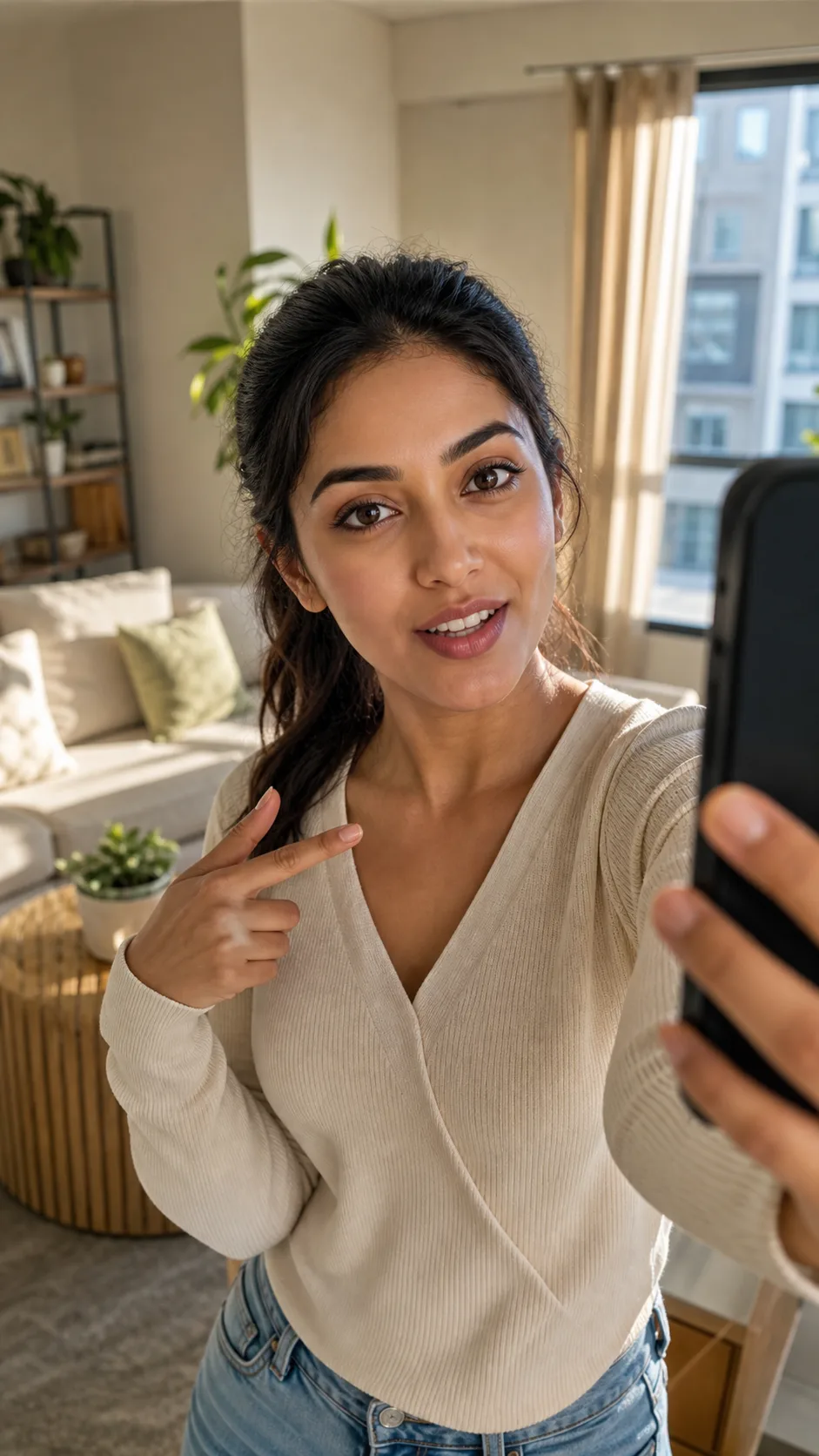
Talking-head hook
Direct-to-camera framing built to stop the scroll and deliver one clear claim.
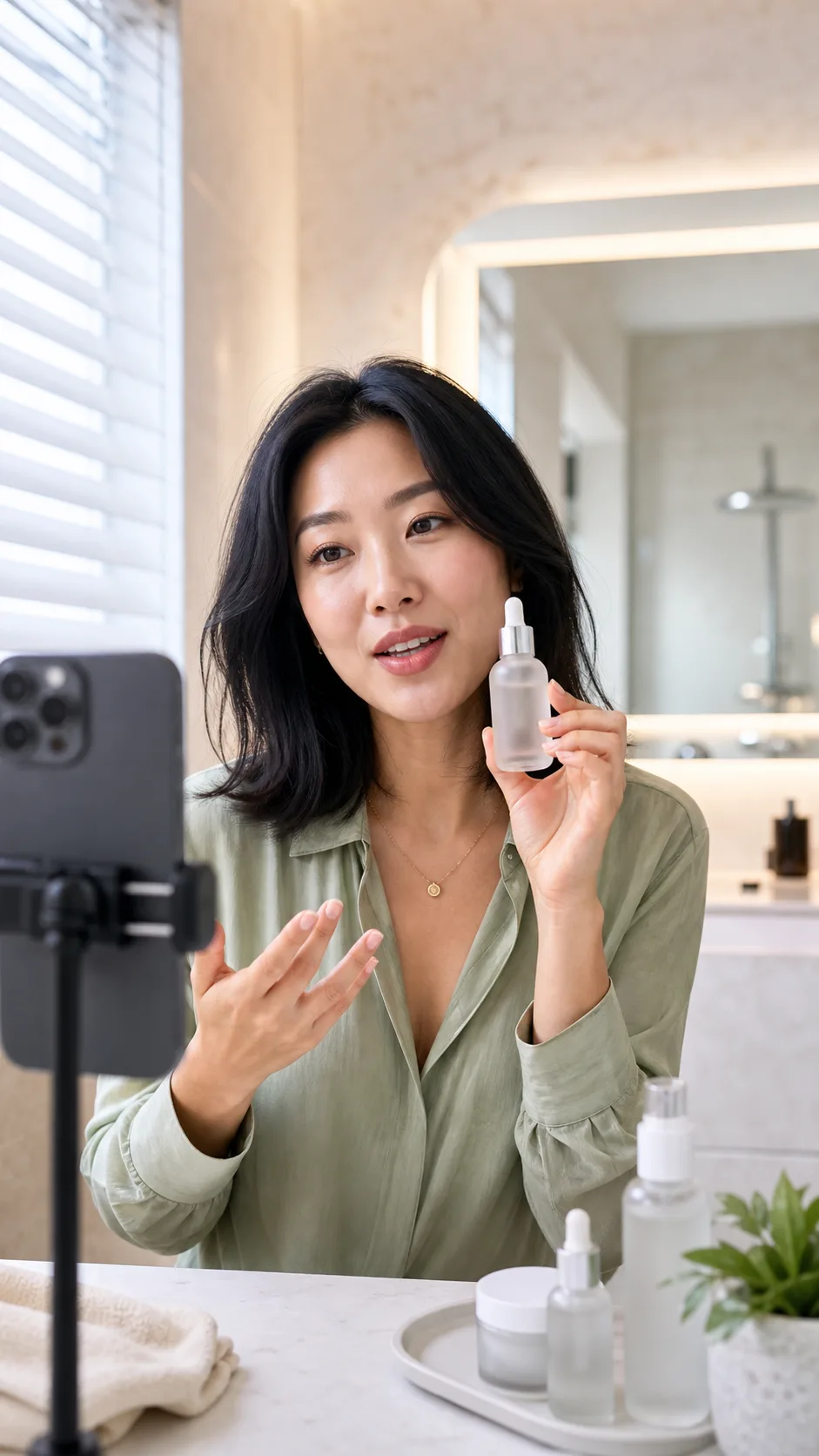
Product demo
A creator-led explanation with the product held clearly in frame.
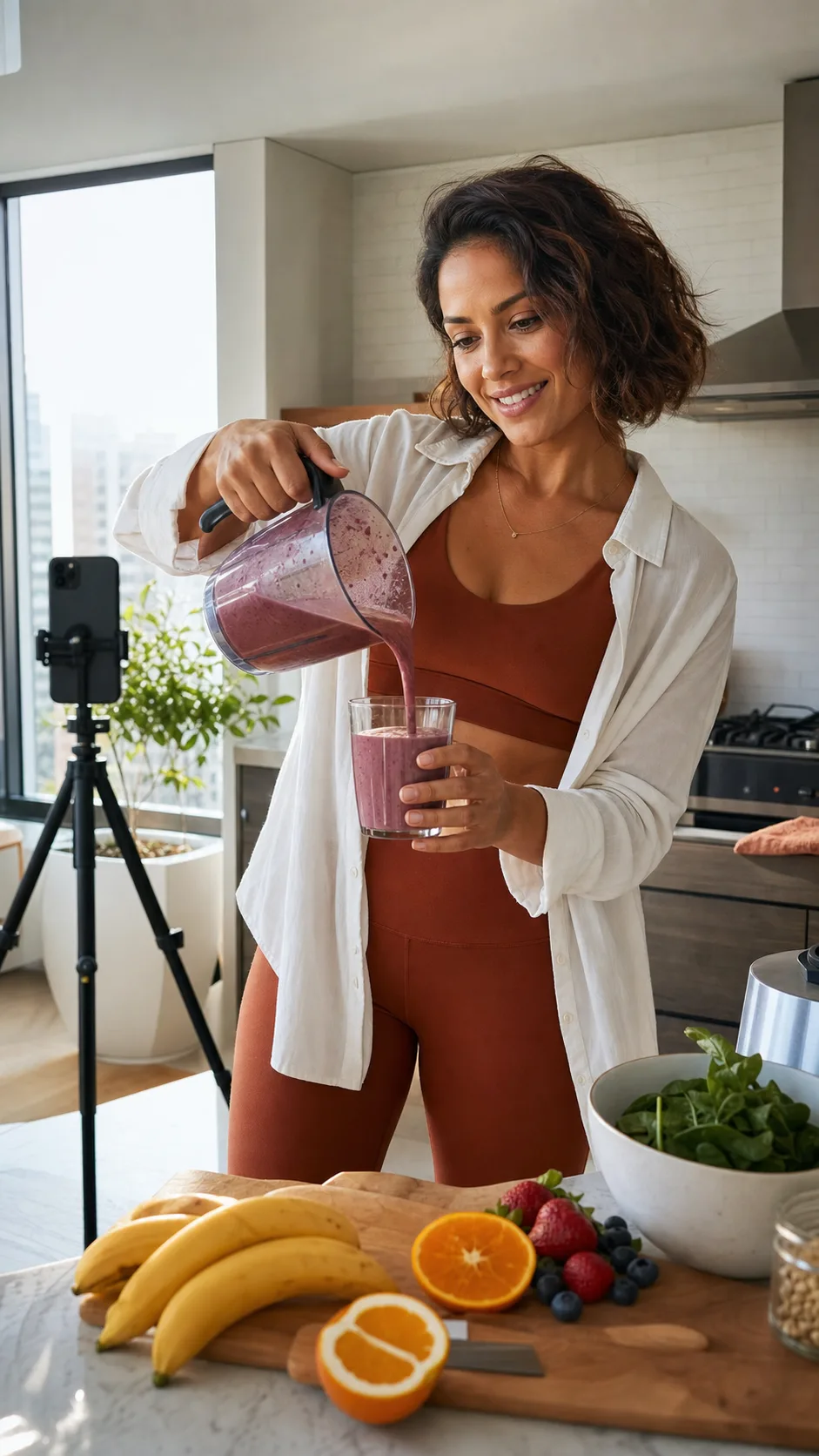
Lifestyle b-roll
Natural action and setting for cutaways, pacing, and visual proof of use.
Clips are 4 to 10 seconds, vertical 9:16 by default for feeds, at 720p or 1080p. The model generates native audio, so the talking-head clips arrive with sound rather than silent.
Step 5: Caption in the persona's voice
Every render lands in the persona's gallery, and the persona's voice writes the post copy and caption to match, tuned to the platform and hashtag style you set. The caption is written by the same character the footage shows, so the words and the face read as one person rather than a stock clip with generic copy bolted on.
Which AI video models power the clips
Dream Pixel Forge offers three video model families, but their provider input policies are not interchangeable. Automatic routing considers the request shape before credits are charged, while an explicit incompatible model choice is refused with guidance instead of silently substituted. Persona identity and captioning still live in the same product workflow.
- Google Veo 3.1 (and Veo 3.1 Fast). The premium text-to-video option, up to 1080p with native audio. Its provider filters photoreal-person reference inputs in the path Dream Pixel Forge uses.
- ByteDance Seedance 2.0 (and Seedance 2.0 Fast). Accepts up to nine references for products, environments, and stylized characters. Its provider rejects realistic human reference images, including photoreal synthetic personas.
- xAI Grok Imagine Video. The supported single-image path for bringing one approved photoreal persona still to life as a short clip with native audio.
Three honest limits worth stating up front. First, a locked photoreal persona currently uses Grok's one-image, 6-second, 480p or 720p path; Veo and Seedance are not fallback persona engines. Second, audio comes from the video models natively; there is no separate voice cloning or custom text-to-speech, so you do not script an exact voiceover word for word. Third, clip length is short, which suits hooks, demos, and b-roll cut into a longer edit rather than a single continuous 30-second spot.
Does AI UGC actually convert?
Sometimes, and the reason it can is worth understanding. UGC ads win on relatability and on volume of creative testing, not on production value, and AI UGC is strong on exactly the second lever: it makes wide creative testing cheap. That is where its measurable edge shows up in an ad account.
Advertisers running AI UGC report that it works best as a testing and iteration layer, where you find a winning hook and angle fast, then decide whether to reshoot the winner with a human creator for the scaled spend. Where it underperforms is the same place all UGC underperforms: weak hooks, wrong offer, and footage that feels off. AI adds one specific failure mode, the uncanny clip where a hand or a mouth reads as synthetic, which is why the persona and the character sheet matter. A locked, believable identity keeps the footage on the right side of the uncanny line. Measure it like any other creative and keep the ones that convert.
What AI UGC video costs
Generation runs on credits, and the free tier covers images only, so video is a paid-plan feature. Paid plans are Starter at 12 dollars a month, Pro at 29 dollars a month, and Studio at 79 dollars a month, each with a monthly credit allowance; Starter covers the standard video models (Seedance, Grok), while the premium Veo models need Pro or Studio.
A video clip costs roughly 20 to 210 credits depending on the model, the length, and whether it carries audio, so the premium 1080p models cost more per clip than the fast iteration models. That spread is deliberate: use the cheaper fast models to test many variations, then spend on the premium model for the winner you scale. The pricing page has current plans and credit allowances.
Is AI UGC video legal, and do you have to disclose it?
Creating AI UGC with a fully synthetic persona or a face you have rights to is legal in most places. The risk concentrates in three areas, and all three are manageable if you handle them before you launch: likeness, testimonials, and disclosure.
- Likeness. Do not build a persona from a real person's face without permission. This is why Dream Pixel Forge asks you to attest a likeness basis (your own, authorized, or synthetic); a growing set of deepfake and right-of-publicity laws make using someone's face without consent the one genuinely risky move.
- Testimonials. A synthetic persona has not used your product and cannot honestly claim to. The FTC's rule on fake and AI-generated reviews and testimonials means a virtual spokesperson must present as brand-authored marketing, never as an independent customer review or first-hand endorsement.
- Disclosure. Instagram, TikTok, and YouTube all require realistic AI-generated content to be labeled, and the platforms have said labeling does not suppress reach. Label the content as AI and disclose paid partnerships.
None of this is legal advice, but the practical rule holds: use a face you have rights to, keep synthetic personas out of the testimonial slot, and label AI content. For the brand-side view of building a reusable AI spokesperson, see AI influencer marketing.
Common mistakes
Most failures with AI UGC come from skipping the persona work or from testing the wrong variable. Five recurring ones are worth naming so you can avoid them before your first campaign.
- Generating clips before locking a persona. Every clip becomes a different face and you have no campaign, just a pile of unrelated videos. Author and approve the persona first.
- Approving a weak character sheet. The identity anchor is the one thing you cannot fix later without starting over. Iterate at the sheet, not after fifty clips.
- Testing production, not hooks. The clip quality is rarely why an ad loses. Vary the hook and the offer, not just the outfit.
- Skipping the AI label. Getting caught undermines the account far more than disclosing up front. The biggest virtual creators are openly synthetic.
- Expecting the tool to do distribution. AI UGC solves production. You still need media buying, a real offer, and iteration on results.
Start with one persona
Author a single AI creator with the AI influencer generator, spend the effort on the character sheet and voice, and generate your first batch of talking-head and product clips before you spend a dollar on media.
If you want to feel the underlying image quality first, the profile avatar tool and freeform generator are quick ways in. The persona takes about ten minutes to build. The winning creative takes iteration. Both are cheaper than they used to be.