Print on demand
How to Make Stickers to Sell: From First Design to First Sale
Follow the complete sticker workflow: design a cohesive sheet, prepare clean cut files, choose home printing, a print partner, or POD, and build the listing.
Making stickers to sell comes down to four steps: design the art, prepare a clean cut-ready file, choose a production route (print at home, print partner, or print-on-demand), and build a listing whose photos make the vinyl look worth paying for. None of the steps are hard, but each has a failure mode that shows up directly in sales, so here's the whole workflow in order.
Step 1: Design for stickers, not just as art
Sticker art has its own constraints: it reads at two inches, gets a border, and needs to work as a physical object. Bold outlines, flat or simply-shaded color, and a strong silhouette survive; delicate linework and painterly gradients turn to mush at production size.
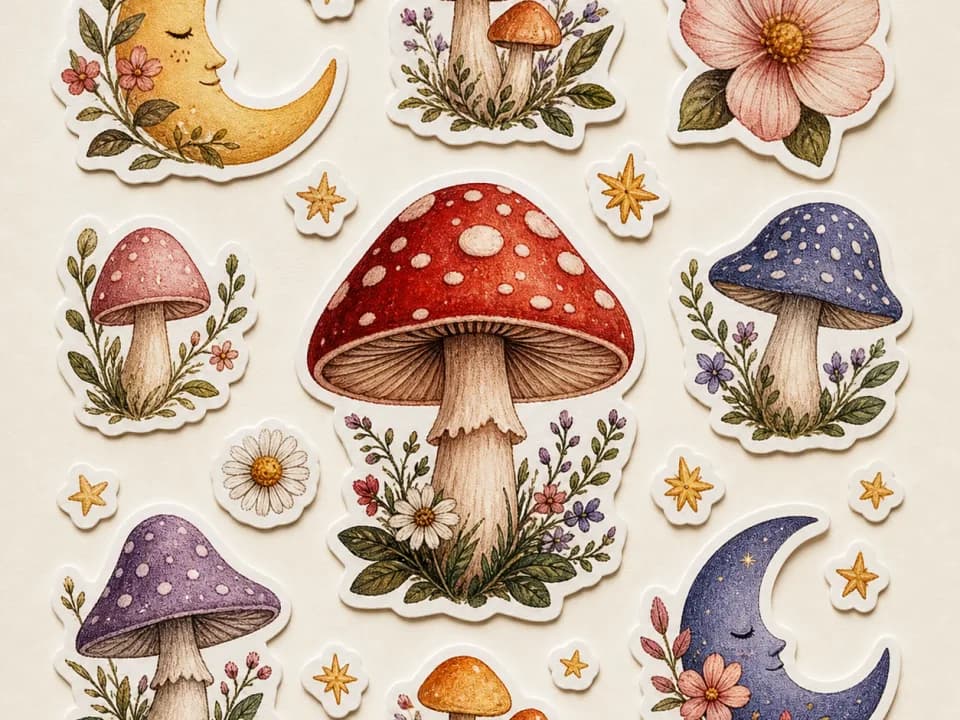
Style-cohesion matters more than any single design. Buyers rarely buy one sticker, they buy a shop's vibe, so your first ten designs should look like siblings. Generate concepts with the sticker design template, which bakes in the die-cut conventions (bold outline, sticker-white border, isolated subject), and keep the same style descriptors across every generation so the set holds together. If you're selling sheets rather than singles, the sticker sheet generator produces a full cohesive sheet in one pass.
Step 2: Clean the file for cutting
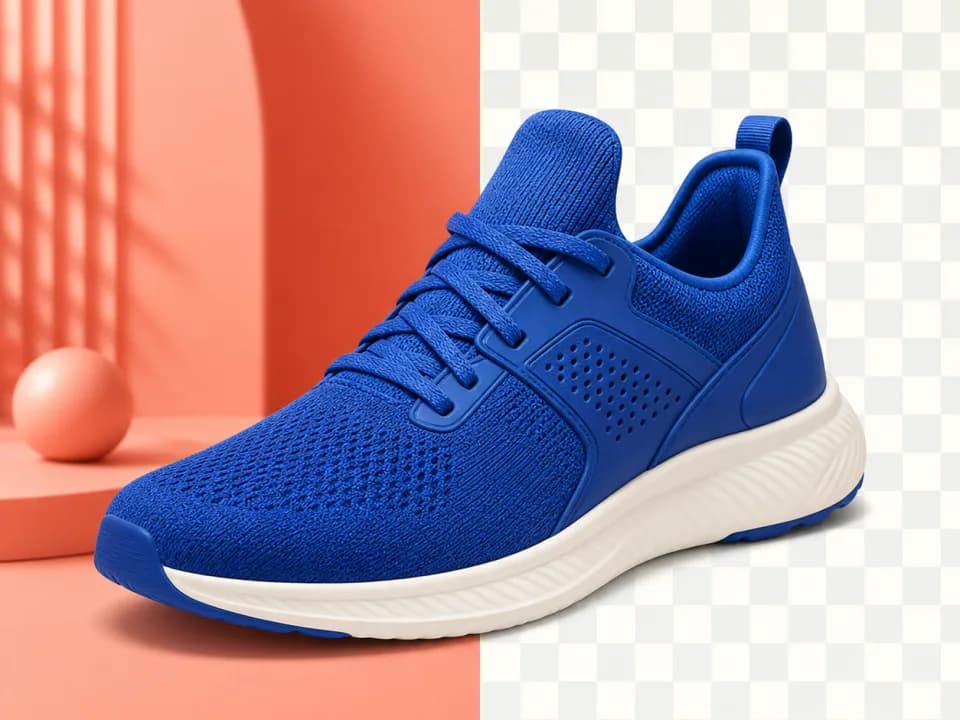
Whatever creates your art, the production file needs a clean transparent background so the cutter (or your print partner's software) can trace the die line. Fuzzy edges, leftover background pixels, and soft shadows all translate into bad cuts.
Run the design through the background remover, check the edges at 100% zoom, and export a PNG with transparency. If you'll print large or your printer wants 300 DPI at final size, upscale the cleaned file rather than the raw generation, upscaling after cleanup keeps the edge crisp.
Step 3: Pick your production route
Print at home (inkjet + vinyl sticker paper + a cutting machine like a Cricut) has the lowest cost per sticker and full quality control, but your time becomes the bottleneck and water-resistance depends on your laminate. Right for testing designs and small volume.
A print partner (Sticker Mule, StickerApp, local printers) gives professional vinyl, real laminate, and clean kiss-cuts with no equipment. Per-unit cost is higher and minimums apply, so it fits designs you've already validated.
Print-on-demand (Printful and similar) removes inventory entirely: the order comes in, the partner prints and ships, you never touch the sticker. Margins are the thinnest of the three, but a design that flops costs you nothing but the listing time. Right for wide catalogs and untested designs. If stickers are one line in a broader catalog, the same approach scales to a full AI print-on-demand store across mugs, shirts, and wall art.
Many shops run all three: POD to test, print partner for proven sellers, home printing for sheet products and market-stall stock.
Digital sticker sheets skip production entirely, planner users buy PNG sheets for GoodNotes and Notability. Same design workflow, no cutting, instant delivery, and the transparent-background step matters even more because buyers drag individual elements onto their pages.
Step 4: Build the listing
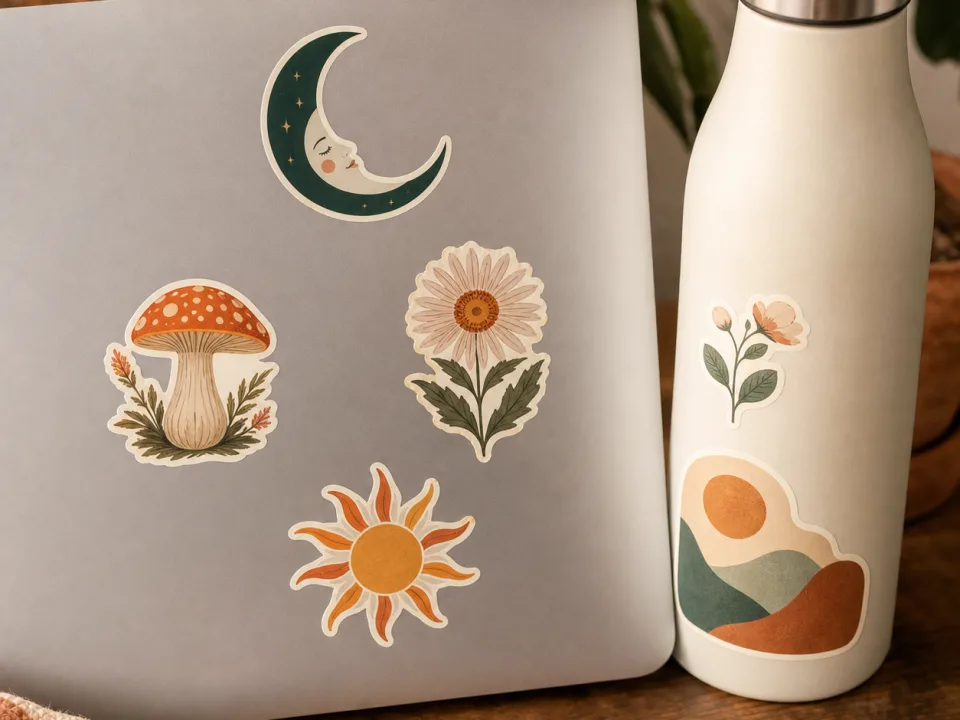
Sticker buyers zoom. Your gallery needs: a clean shot of the design itself, a mockup of the sticker in use, on a laptop, a water bottle, a journal, a kiss-cut shot showing the peel and backing (this is the quality signal buyers look for), and a scale reference. For holographic vinyl, lead with the sheen shot; it's the entire reason someone buys holo.
Title and tags should describe the design the way a buyer searches: subject first ("frog on mushroom sticker"), then style ("cottagecore"), then use ("laptop water bottle journal"). Sticker searches are subject-driven, your shop name and internal design codes mean nothing to Etsy search.
The math to check before you scale
Per-sticker production cost, marketplace fees, and shipping (physical stickers ship in a stiff envelope for stamp rates in most regions) against your price. Singles at $3–5 and sheets at $6–12 are typical ranges; sheets carry meaningfully better margins per order, which is why established sticker shops push buyers toward sheets and bundles. Run one design through the full loop, design, clean, produce, list, ship, before producing fifty, because the loop is where the problems live, not the art.